


















Theme guide Home Assistant themes in 2026
Slate for Home Assistant
A plain dark grey theme with a single blue accent and a mustard secondary, from one of the earliest shared Home Assistant configs. One look, no light mode, nothing to configure.
Updated 2 September 2026
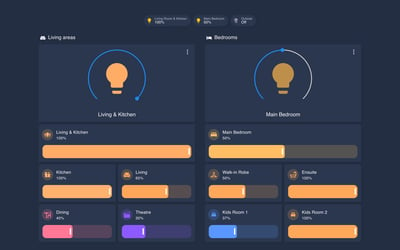
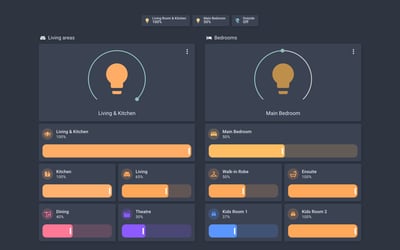
Slate is a dark theme that does one thing: charcoal cards on a slightly darker background, a steel blue for switches, sliders and anything active, and a mustard yellow for the secondary accent. There are no gradients, no translucency and no card borders, so it suits a wall panel that should look like a control surface rather than a phone app. The theme file is under 50 lines, which also makes it the easiest theme on this page to read and tweak if you want your own accent colour.
It comes from Sean Green's shared Home Assistant configuration, one of the setups people copied from in the early Lovelace days, and it is still ticking over: the last commit, in April 2026, moved it onto the current modes format and added an icon colour fix. There are no tagged releases, so check the commit history rather than a releases page. Expect the newer frontend components to fall back to default styling where the theme does not name a variable; the palette is small enough that this is rarely jarring.
Gallery
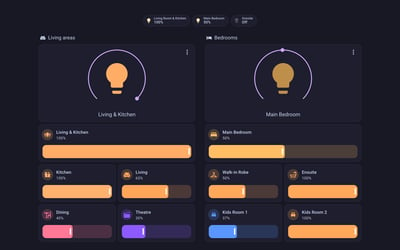
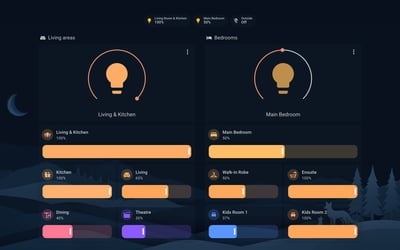
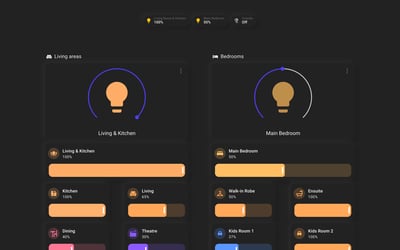
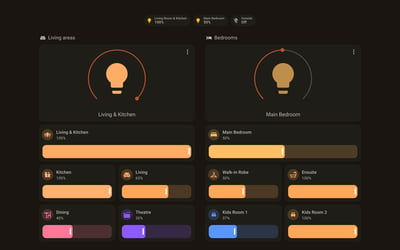
Flat charcoal cards on a near-black ground, with steel blue for anything active. The whole theme in one short file.
Frequently asked questions
Does Slate have a light mode?
No. It registers a dark mode only, so it stays dark whatever the light and dark setting in your profile says.
How do I install it?
It is not in HACS. Download slate.yaml from the repository's themes folder into your own themes directory, make sure the themes include is in your configuration, then run the frontend.reload_themes action and pick slate from your profile.
What colours does it use for graphs?
The author recommends blue #2980b9, yellow #b58e31, red #b83829 and green #70a03c so charts match the rest of the theme.
More theme guides
See the full roundup
Still need a hand?
We answer most messages within one business day. If your question is about an existing order, have your order number ready. It speeds things up.
Contact us