

















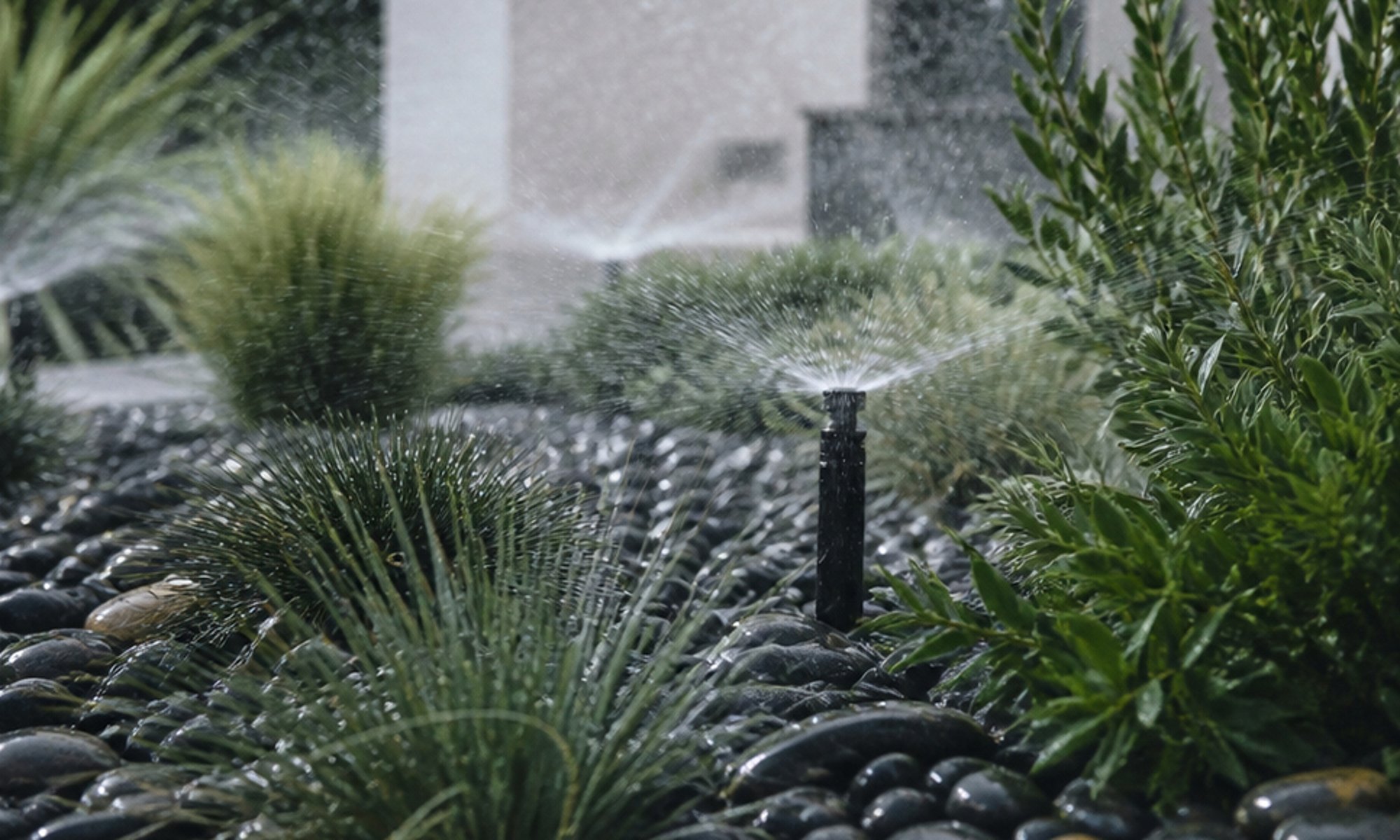
How it works
A garden irrigation valve opens when 24 V AC reaches its solenoid. A Shelly 1 Gen4 puts a dry contact in that circuit, so the valve keeps its own plug-pack and the relay only decides when the circuit closes.
Clip a Shelly Plus Add-on onto the relay and it can read an analogue soil moisture sensor. The Shelly checks the reading every minute and, when the soil drops below the level you set, runs the valve for a set time. A timer on the relay keeps it from running on if anything goes wrong.
A garden irrigation valve opens when 24 V AC reaches its solenoid. A Shelly 1 Gen4 puts a dry contact in that circuit, and a Shelly Plus Add-on clipped onto it reads an analogue soil moisture sensor.
Home Assistant talks to the Shelly over your Wi-Fi through its Shelly integration, and sees the moisture reading as a sensor. An automation checks it at 2 am and, if the soil is below the level you set, runs the valve for ten minutes. A timer on the relay keeps it from running on if anything goes wrong.
-
01
Your phone
Check the soil reading, or skip a run when rain is coming.
-
02
Shelly relay
Opens the valve when the soil is dry, for a set time.
-
03
Your garden
Gets watered when it needs it, not on a fixed clock.
What it looks like on your phone
-
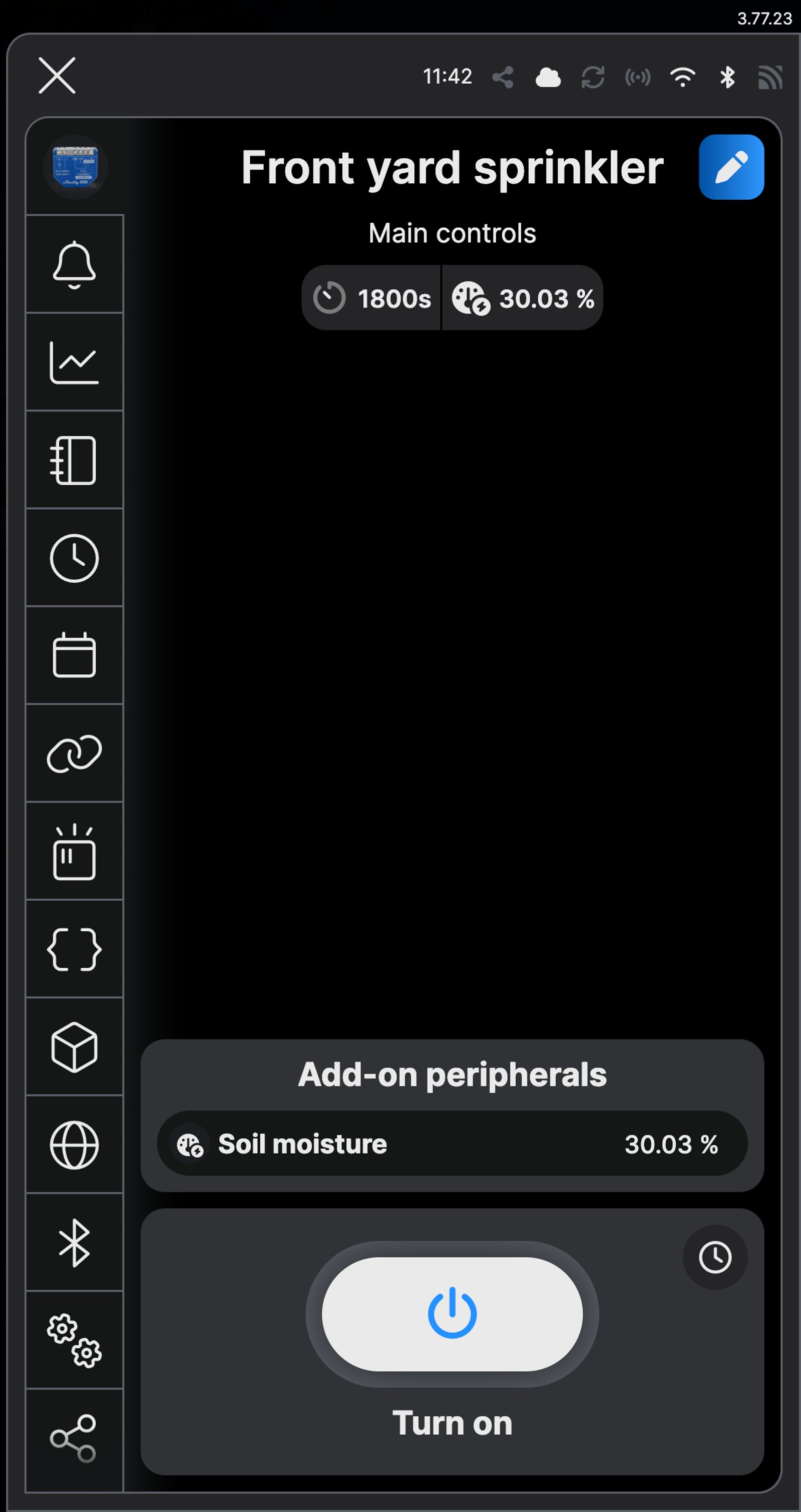
Check the soil from anywhere. The main screen shows the moisture reading beside the Turn on button.
-
Water now. Tap Turn on and it runs until auto off stops it at 30 minutes, or tap again to stop it sooner.
-
Pause it for a wet week. The switch beside Water when dry turns the rule off; turn it back on when the rain stops.
-
See every run. The activity log lists each time the sprinkler turned on and off.
-
Every night at 2 am. If the soil is below 20%, the automation runs the valve for ten minutes.
Step by step
How you'll set it up
Add the device to Wi-Fi from your phone, or straight from a browser.



Every Shelly has its own built-in web interface, so there's nothing to install. Once it's on your Wi-Fi, type its IP address into a browser on the same network. Before it joins your Wi-Fi, connect your computer to the Shelly's own hotspot and open `192.168.33.1`.
-
Fit the Shelly beside the irrigation plug-pack
One plug-pack lead lands on I, O runs to the valve, and the valve's other wire goes back to the plug-pack's common. L and N power the relay itself.
Wire map 1 Gen4- Active (supply) L
- Neutral N
- 24 V AC plug-pack I
- Valve O
Wire map 1 Gen3- Active (supply) L
- Neutral N
- 24 V AC plug-pack I
- Valve O
Circuit overviewActive (supply)Neutral / 0 VSwitch signal / dry contactIn Australia, fixed 230 V wiring is licensed-electrician work. Use these diagrams to plan the job and brief your electrician.
Showing the whole circuitCircuit overviewActive (supply)Neutral / 0 VSwitch signal / dry contactIn Australia, fixed 230 V wiring is licensed-electrician work. Use these diagrams to plan the job and brief your electrician.
Showing the whole circuitThere's no wiring diagram for the here yet. Its installation guide has the manufacturer's wiring diagram. Wire it from the diagram in its manual.
-
Wire the soil sensor to the Add-on
With the power off, clip the Shelly Plus Add-on onto the relay. On the SMT50, the brown wire goes to VCC, white to GND and yellow to ANALOG IN. The green wire is the temperature output; leave it unconnected. Push the probe into the bed at root depth.
Wire map Plus Add-on- Brown (power) VCC
- White (ground) GND
- Yellow (moisture) ANALOG IN
Circuit overviewBrown: power (VCC)White: ground (GND)Yellow: moisture (ANALOG IN)Green: temperature, not connectedIn Australia, fixed 230 V wiring is licensed-electrician work. Use these diagrams to plan the job and brief your electrician.
Showing the whole circuitThere's no wiring diagram for the here yet. Its installation guide has the manufacturer's wiring diagram. Wire it from the diagram in its manual.
-
Add the Shelly in the app
Add the relay in the Shelly Smart Control app and name it Front yard sprinkler.
-
Turn on the Sensor Add-on
Open Add-on peripherals, expand Manage add-on feature, choose Sensor Add-on, then tap Save and reboot. In the web interface, open Add-on, choose Sensor Add-on and click Save and reboot.
-
Add the sensor as a Voltmeter
Tap Add peripheral, choose Voltmeter and tap Add peripheral. The Shelly asks to reboot once more. In the web interface, click +, choose Voltmeter and click Add and reboot.
-
Show the reading as moisture
Open the peripheral's settings and name it Soil moisture. Set the custom expression to x*50/3 and the unit to %, then tap Save. In the web interface, open Soil moisture, enter the same expression and unit and click Save. The SMT50 puts out 0 to 3 V for 0 to 50% moisture, so the app now shows a percentage instead of volts.
-
Check the reading
Soil moisture now shows on the device's main screen. Damp potting mix read about 30% on our bench, and dry soil drops towards single figures.
-
Water when it's dry
Under Actions, add an action named Water when dry. Trigger it on the measurement every 60 seconds, add the condition Transformed voltage value less than 20, and set the action to turn Front yard sprinkler on and flip it back after 600 seconds. Set Repeat when to 3600, so it waters at most once an hour and the water has time to soak in. To water only in the early hours, set Active time from 02:00 to 03:00: with Repeat when at 3600, that's one run a night at most.
-
Add a backstop
Open Timer, turn on Auto off at 30 minutes and tap Save. In the web interface, tick Enable under Auto OFF, set the delay to 1800 seconds and click Save. If the sensor ever stops reporting, the valve still can't run all day.
-
Check it's set
Add-on peripherals now shows Soil moisture with its reading and, under Actions, Water when dry: below 20%, between 02:00 and 03:00. The valve opens the next time the soil dries out in that window.
-
Fit the Shelly beside the irrigation plug-pack
One plug-pack lead lands on I, O runs to the valve, and the valve's other wire goes back to the plug-pack's common. L and N power the relay itself.
Wire map 1 Gen4- Active (supply) L
- Neutral N
- 24 V AC plug-pack I
- Valve O
Wire map 1 Gen3- Active (supply) L
- Neutral N
- 24 V AC plug-pack I
- Valve O
Circuit overviewActive (supply)Neutral / 0 VSwitch signal / dry contactIn Australia, fixed 230 V wiring is licensed-electrician work. Use these diagrams to plan the job and brief your electrician.
Showing the whole circuitCircuit overviewActive (supply)Neutral / 0 VSwitch signal / dry contactIn Australia, fixed 230 V wiring is licensed-electrician work. Use these diagrams to plan the job and brief your electrician.
Showing the whole circuitThere's no wiring diagram for the here yet. Its installation guide has the manufacturer's wiring diagram. Wire it from the diagram in its manual.
-
Wire the soil sensor to the Add-on
With the power off, clip the Shelly Plus Add-on onto the relay. On the SMT50, the brown wire goes to VCC, white to GND and yellow to ANALOG IN. The green wire is the temperature output; leave it unconnected. Push the probe into the bed at root depth.
Wire map Plus Add-on- Brown (power) VCC
- White (ground) GND
- Yellow (moisture) ANALOG IN
Circuit overviewBrown: power (VCC)White: ground (GND)Yellow: moisture (ANALOG IN)Green: temperature, not connectedIn Australia, fixed 230 V wiring is licensed-electrician work. Use these diagrams to plan the job and brief your electrician.
Showing the whole circuitThere's no wiring diagram for the here yet. Its installation guide has the manufacturer's wiring diagram. Wire it from the diagram in its manual.
-
Set up the sensor in the Shelly app
The Add-on is set up on the Shelly itself, so add the relay in the Shelly Smart Control app first. Open Add-on peripherals, choose Sensor Add-on and tap Save and reboot. Then tap Add peripheral, choose Voltmeter and tap Add peripheral. Open its settings, name it Soil moisture, set the custom expression to x*50/3 and the unit to %, then tap Save.
-
Add it to Home Assistant
In Home Assistant, go to Settings, then Devices & services, select Add integration and choose Shelly. Enter the relay's IP address, which your router lists, and select Submit. Name it Front yard sprinkler. Home Assistant brings in two sensors from the Add-on: Soil moisture voltmeter, in volts, and Soil moisture voltmeter value, the percentage.
-
Water when it's dry
Go to Settings, then Automations & scenes, and select Create automation. Select Add trigger, choose Time and set it to 02:00. Select Add condition, choose Numeric state, pick Soil moisture voltmeter value and set Below to 20. Then add three actions: turn on Front yard sprinkler, a Delay of 0:10:00, and turn off Front yard sprinkler. Check them, select Save and name it Water when dry.
-
Add a backstop
In the Shelly app, open Timer, turn on Auto off at 30 minutes and tap Save. It runs on the relay, so the valve can't run all day even if Home Assistant stops.
-
Check it's there
Automations & scenes now lists Water when dry. It's on as soon as you save it, so the valve opens at 2 am whenever the soil is below 20%.
Frequently asked questions
Should I use the Shelly app or Home Assistant?
If you don't run Home Assistant, use the Shelly app: it needs no hub, and the watering rule runs on the relay, so it keeps working when the internet is down. If Home Assistant already runs your home, put the garden there, so the watering can sit alongside your other automations.
Will it water when it's already raining?
Not if the soil is wet. The rule only runs the valve when the sensor reads below your dry point, so a wet bed stays off.
Which soil moisture sensor should I use?
We tested the Truebner SMT50, a buried analogue probe with a 10 m cable. The Add-on reads any sensor with a 0 to 10 V output; you'd change the expression and the dry point to suit its range.
What dry point should I set?
Start at 20% and watch a week of readings. If the bed looks thirsty before it waters, raise it; if it stays soggy, lower it.
Can I water on a timer instead?
Yes. Leave out the condition, so the automation runs the valve at 2 am every night, or add a Time condition that ticks only the days you want.
Can it skip watering when rain is forecast?
Yes, with Shelly Premium, the paid tier of the Shelly app. A scene can check the forecast for the next one to six hours and only turn the sprinkler on when the chance of rain is below a level you choose. Scenes run in Shelly's cloud, so they need an internet connection; the Water when dry rule above runs on the relay itself.
How many zones can one Shelly run?
One valve per Shelly 1 Gen4. For more zones, fit one relay per valve; each can have its own Add-on and sensor, or share one sensor's reading through a scene.
Does it still water if Home Assistant is off?
No. The automation runs in Home Assistant, so nothing waters while it's down, and the Auto off timer on the relay still stops any run that's under way. If you'd rather the rule ran on the relay itself, set it up in the Shelly app instead.
More Shelly solutions

Run the pool pump when it costs less
The pool pump is one of the hungriest circuits in most houses, so schedule its runs into off-peak windows and see what each one uses. Changing the season's run times happens from the couch, not the pump shed. Control with any of


Outdoor lights on at sunset, off at midnight
Porch, path and garden lights follow the sun through the year without you touching a switch. Run the lights you have from a Shelly relay, or fit Philips Hue outdoor lights, and set it up in their app or Home Assistant. Control with any of 

A roof-space fan that runs when the roof gets hot
A temperature probe in the roof space switches the exhaust fan on when the air up there gets hot, and off again once it cools. It runs on the relay itself, so it keeps working without the internet. Control with any of More Home Assistant solutions
Run the pool pump when it costs less
The pool pump is one of the hungriest circuits in most houses, so schedule its runs into off-peak windows and see what each one uses. Changing the season's run times happens from the couch, not the pump shed. Control with any of Outdoor lights on at sunset, off at midnight
Porch, path and garden lights follow the sun through the year without you touching a switch. Run the lights you have from a Shelly relay, or fit Philips Hue outdoor lights, and set it up in their app or Home Assistant. Control with any of A roof-space fan that runs when the roof gets hot
A temperature probe in the roof space switches the exhaust fan on when the air up there gets hot, and off again once it cools. It runs on the relay itself, so it keeps working without the internet. Control with any of Still need a hand?
We answer most messages within one business day. If your question is about an existing order, have your order number ready. It speeds things up.
Contact usThe kit
Choose your relay
Each of these does the job. The steps on this page are written for the recommended one.