

















How it works
A Shelly EM Mini Gen4 sits behind the appliance's power point and measures every watt it draws. The Shelly app turns that into kilowatt-hours by the hour, day and month.
Add your tariff to the app, with its peak and off-peak times, and the chart splits the energy by rate. Multiply each part by its price and you have the running cost.
A Shelly EM Mini Gen4 sits behind the appliance's power point and reports its power and its running energy total to Home Assistant over your Wi-Fi.
Turn on that energy sensor, add it to the Energy dashboard as an individual device and Home Assistant charts its kilowatt-hours by the hour, day, week and month. Multiply by your tariff for the cost.
-
01
Your appliance
Plugs in and runs as it does now.
-
02
Shelly meter
Measures every kilowatt-hour it uses.
-
03
Your phone
Shows the energy by rate, and the cost.
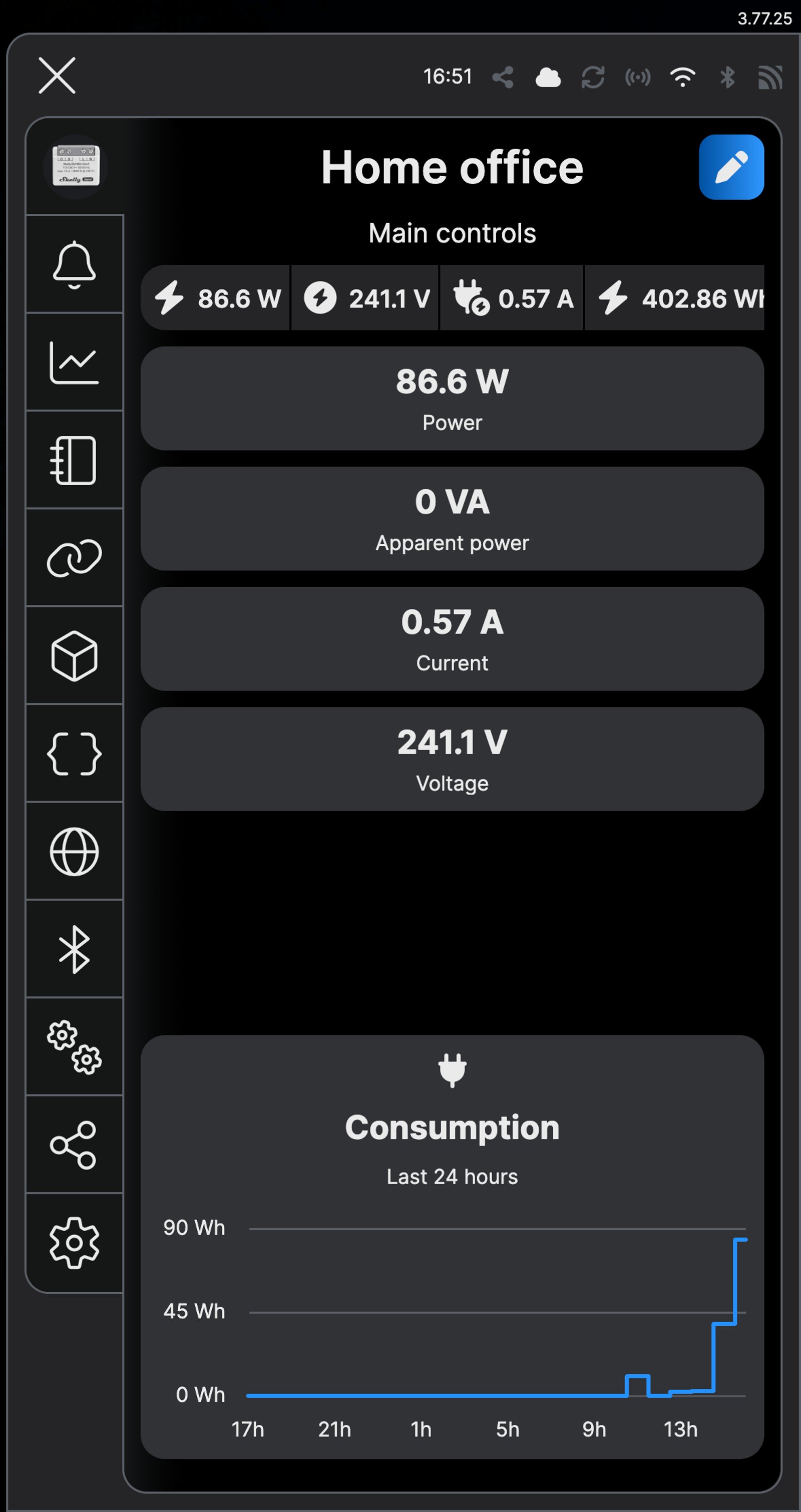
What it looks like on your phone
-
Live. The meter shows what the appliance is drawing right now.
-
What it cost. The Energy tab totals the day's kilowatt-hours and what they cost in dollars.
-
By rate. The chart splits the energy by tariff, so you can see how much landed in peak.
-
Hour by hour. The Energy dashboard charts what the appliance used.
-
Running totals. The meter's Energy and Power readings, on its device page.
Step by step
-
Fit the meter behind the power point
The meter goes in the wall behind the power point the appliance plugs into, or in the supply to a hardwired one. The supply active goes to L and neutral to N. O feeds the appliance's active, and its neutral joins the supply neutral as before.
Wire map EM Mini Gen4- Active (supply) L
- Neutral N
- Power point or appliance O
Wire map 1PM Gen4- Active (supply) L
- Neutral N
- Appliance O
- Wall switch (optional) SW
Wire map 1PM Mini Gen4- Active (supply) L
- Neutral N
- Appliance O
- Wall switch (optional) SW
Circuit overviewActive (supply)Neutral / 0 VSwitched loadIn Australia, fixed 230 V wiring is licensed-electrician work. Use these diagrams to plan the job and brief your electrician.
Showing the whole circuitCircuit overview1Appliance2Wall switchActive (supply)Neutral / 0 VSwitched loadSwitch signal / dry contactIn Australia, fixed 230 V wiring is licensed-electrician work. Use these diagrams to plan the job and brief your electrician.
Showing the whole circuitCircuit overview1Wall switch2ApplianceActive (supply)Neutral / 0 VSwitched loadSwitch signal / dry contactIn Australia, fixed 230 V wiring is licensed-electrician work. Use these diagrams to plan the job and brief your electrician.
Showing the whole circuitThere's no wiring diagram for the here yet. Its installation guide has the manufacturer's wiring diagram. Wire it from the diagram in its manual.
-
Add it to the Shelly app and name it after the appliance
In the Shelly Smart Control app, tap the plus sign and add the meter. Name it after what it measures, such as Panel heater, so the charts say what they're about.
-
Open the tariff settings
Tap the lightning bolt in the bar at the bottom of the Shelly app to open Energy, then tap Electricity Tariff at the top. The tariff lives here rather than on the meter, because it applies to every Shelly device on your account.
-
Set your currency
Under Preferred currency, enter AUD and tap Save. Pick your Billing date above it too, and tap its Save.
-
Add each rate
Tap Add tariff. Name it after the rate on your bill, such as Peak, enter its price per kWh in dollars (0.338 for 33.8c), pick a colour and tap Save tariff. Repeat for every rate on your bill. Our example plan has three: Peak, Off-peak and Super off-peak.
-
Set when each rate applies
Under Intervals, tap Add interval. Choose the tariff, tick the days it applies, set the start and end times with the arrows and tap Save interval. Add one for each block of the day. Our example plan needs four, every day: Off-peak 00:00 to 06:00, Peak 06:00 to 11:00, Super off-peak 11:00 to 14:00 and Peak 14:00 to 00:00. Once every hour is covered, Add interval greys out.
-
Let it run for a week
Use the appliance as you normally do. A week takes in weekdays and the weekend, which gives you a fair picture.
-
Read the cost
Open the meter and tap Charts. Under Consumption, pick the period you want, such as Last 24 hours, and turn on Show tariffs distribution. Total Energy shows the kilowatt-hours and what they cost in dollars, and the lines below split them by rate, so you can see how much landed in peak.
-
Fit the meter behind the power point
The meter goes in the wall behind the power point the appliance plugs into, or in the supply to a hardwired one. The supply active goes to L and neutral to N. O feeds the appliance's active, and its neutral joins the supply neutral as before.
Wire map EM Mini Gen4- Active (supply) L
- Neutral N
- Power point or appliance O
Wire map 1PM Gen4- Active (supply) L
- Neutral N
- Appliance O
- Wall switch (optional) SW
Wire map 1PM Mini Gen4- Active (supply) L
- Neutral N
- Appliance O
- Wall switch (optional) SW
Circuit overviewActive (supply)Neutral / 0 VSwitched loadIn Australia, fixed 230 V wiring is licensed-electrician work. Use these diagrams to plan the job and brief your electrician.
Showing the whole circuitCircuit overview1Appliance2Wall switchActive (supply)Neutral / 0 VSwitched loadSwitch signal / dry contactIn Australia, fixed 230 V wiring is licensed-electrician work. Use these diagrams to plan the job and brief your electrician.
Showing the whole circuitCircuit overview1Wall switch2ApplianceActive (supply)Neutral / 0 VSwitched loadSwitch signal / dry contactIn Australia, fixed 230 V wiring is licensed-electrician work. Use these diagrams to plan the job and brief your electrician.
Showing the whole circuitThere's no wiring diagram for the here yet. Its installation guide has the manufacturer's wiring diagram. Wire it from the diagram in its manual.
-
Add it to Home Assistant
In Home Assistant, go to Settings, then Devices & services, select Add integration and choose Shelly. Enter the meter's IP address, which your router lists, and select Submit. Home Assistant talks to the meter directly over your home network. Name it after the appliance, such as Panel heater.
-
Turn on its Energy sensor
Home Assistant adds the meter's Energy sensor turned off. Open the device, tap the disabled entities under Sensors, pick Energy and open its settings with the cog. Tap Enable. After about 30 seconds it starts counting kilowatt-hours.
-
Open the Energy settings
Open the Energy dashboard, tap the three dots at the top right and choose Edit dashboard.
-
Add it to the Energy dashboard
Under Individual devices, tap Add device. Choose the meter's Energy sensor for Device energy consumption and its Power sensor for Device power consumption, give it a display name such as Panel heater and tap Save.
-
Let it run for a week
Use the appliance as you normally do. Home Assistant fills the Energy dashboard hour by hour.
-
Read the cost
Back on the Energy dashboard, Individual devices detail charts the appliance's kilowatt-hours hour by hour. Use the date and arrows at the bottom to pick a day or a week, then multiply the total by your tariff. Home Assistant says new devices can take up to two hours to show their first data.
Frequently asked questions
What does it work out to on a real tariff?
On one Melbourne time-of-use plan, peak is 33.8c per kWh, off-peak (midnight to 6 am) is 16c and super off-peak (11 am to 2 pm) is 9.9c. A 2,000 W panel heater run from 6 pm to 10 pm uses 8 kWh, all in peak: $2.70 a night, about $81 a month. A dishwasher load of about 1.2 kWh costs 41c started at 7 pm, and 12c started at 11 am.
Should I use the Shelly app or Home Assistant?
If you don't run Home Assistant, use the Shelly app: it needs no hub and works out the cost from your tariff's times itself. If Home Assistant already runs your home, put the meter there and it joins the rest of your Energy dashboard.
Which appliances can it measure?
Anything on a power point or a circuit of up to 16 A, which is 3,840 W at 240 V. That covers heaters, fridges and freezers, a pool pump, a dryer or a small split system. Big hardwired loads such as an oven or a hot water system need a meter rated for more.
Does the cost include the supply charge?
No. The meter measures energy, so the cost is the usage part of your bill. The daily supply charge stays the same whatever the appliance does.
More Shelly solutions
Get a phone alert when the washing is done
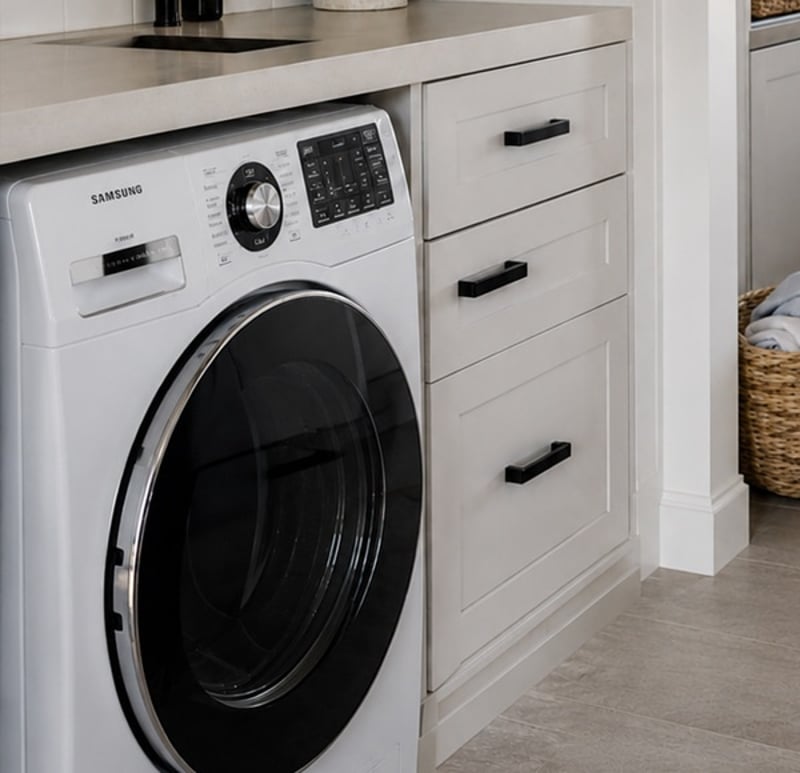
A small meter behind the washing machine's power point sees the power drop when the cycle ends and sends a notification to your phone. No new machine, and nothing changes about how you use it. Control with any of

Switch off an appliance left running
A metering relay on the heater's supply switches it off after the time you set, and can message you when it has been drawing power too long. The same alert can tell you the washing has finished. Control with any of 
Run the pool pump when it costs less
The pool pump is one of the hungriest circuits in most houses, so schedule its runs into off-peak windows and see what each one uses. Changing the season's run times happens from the couch, not the pump shed. Control with any of More Home Assistant solutions
Get a phone alert when the washing is done
A small meter behind the washing machine's power point sees the power drop when the cycle ends and sends a notification to your phone. No new machine, and nothing changes about how you use it. Control with any of Switch off an appliance left running
A metering relay on the heater's supply switches it off after the time you set, and can message you when it has been drawing power too long. The same alert can tell you the washing has finished. Control with any of Run the pool pump when it costs less
The pool pump is one of the hungriest circuits in most houses, so schedule its runs into off-peak windows and see what each one uses. Changing the season's run times happens from the couch, not the pump shed. Control with any of Still need a hand?
We answer most messages within one business day. If your question is about an existing order, have your order number ready. It speeds things up.
Contact usThe kit
Choose your meter
Each of these does the job. The steps on this page are written for the recommended one.