


















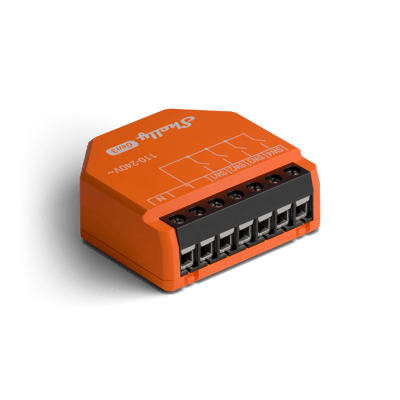
Inputs & add-ons Shelly wiring diagrams
Shelly i4 Gen3 wiring diagram
How to wire a Shelly i4 Gen3 to add a second switch or a push button that controls lights over Wi-Fi.
Wiring diagrams
230 V~ 50 HzShelly i4 Gen3
Circuit overview
1Second switch
Active (supply)Neutral / 0 VSwitch signal / dry contact
In Australia, fixed 230 V wiring is licensed-electrician work. Use these diagrams to plan the job and brief your electrician.
Showing the whole circuit
Every job, terminal by terminal
-
Wire a second switch
Power on L and N, the switch on SW1
Mains comes in on L and N to power the i4. The switch takes active on one side and lands on SW1 on the other, so the i4 sees each flip. Nothing is switched through the i4: it sends the light its command over Wi-Fi.
Terminals for wire a second switch on the Shelly i4 Gen3 Terminal What it does here L 230 V active in N Neutral in SW1 The second switch SW2 Spare input SW3 Spare input SW4 Spare input SW2, SW3 and SW4 take up to three more switches or buttons. The second L is joined to the first inside the i4.
Supply: 230 V~ 50 Hz
-
Wire a push button
Power on L and N, the button on SW1
Mains comes in on L and N to power the i4. The push button takes active on one side and lands on SW1 on the other, so the i4 sees each press. Nothing is switched through the i4: it sends the lights their commands over Wi-Fi.
Terminals for wire a push button on the Shelly i4 Gen3 Terminal What it does here L 230 V active in N Neutral in SW1 The push button SW2 Spare input SW3 Spare input SW4 Spare input SW2, SW3 and SW4 take up to three more switches or buttons. The second L is joined to the first inside the i4.
Supply: 230 V~ 50 Hz
More wiring diagrams
Still need a hand?
We answer most messages within one business day. If your question is about an existing order, have your order number ready. It speeds things up.
Contact us



