

















How it works
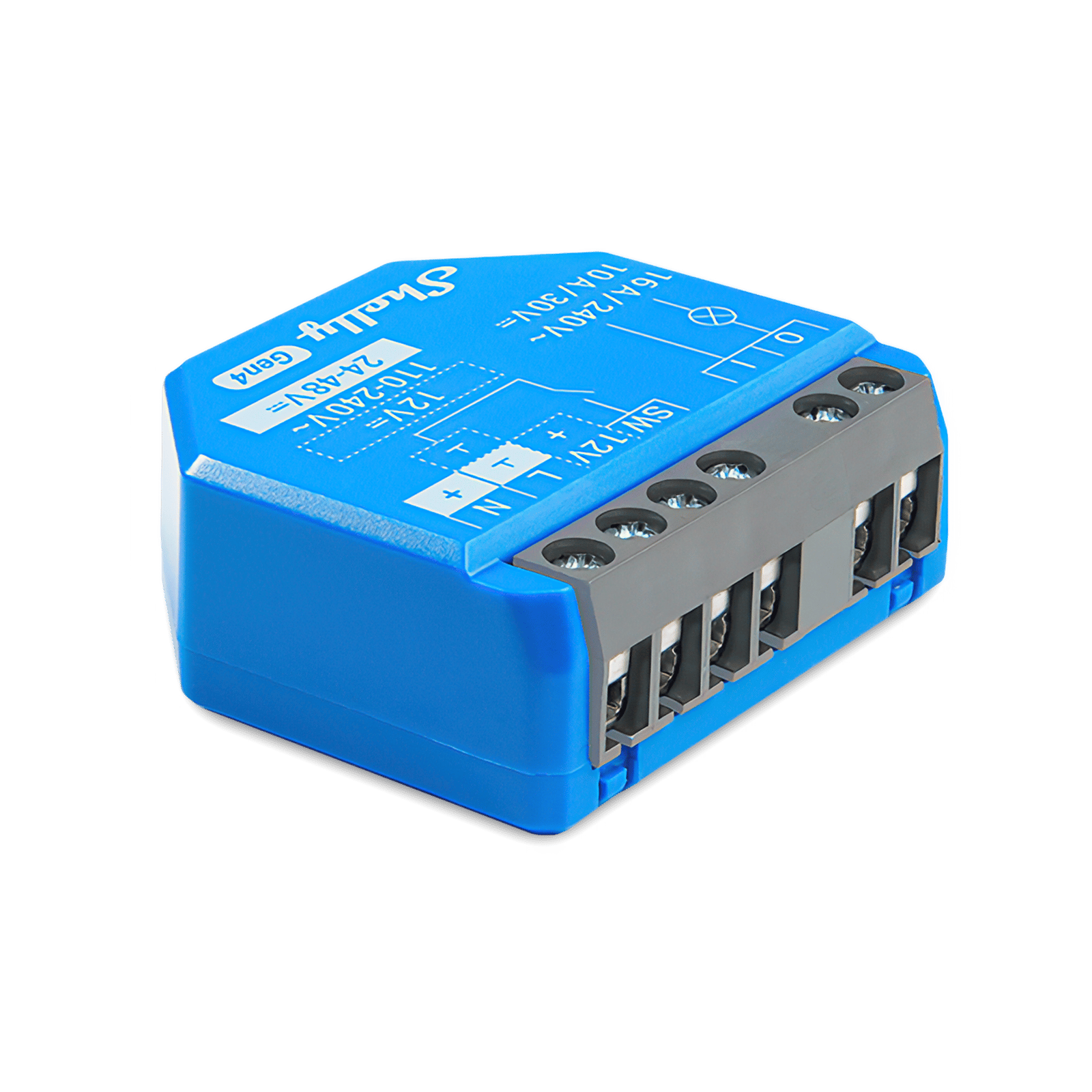
A Shelly 1 Gen4 fits behind the switch that already runs your porch, path or garden lights, and switches the circuit for you. It knows your location, so a schedule set to sunset moves with the seasons: earlier in June, later in December.
You set two schedules in the Shelly app: on at sunset, off at midnight, every day. Both are stored on the relay, and the wall switch still turns the lights on and off in between.
A Shelly 1 Gen4 fits behind the switch that already runs your porch, path or garden lights, and joins Home Assistant through its built-in Shelly integration, over your home network. Home Assistant works out sunset from your home's location, so an automation set to sunset moves with the seasons: earlier in June, later in December.
You make two automations in Home Assistant: lights on at sunset, lights off at midnight. The wall switch still turns the lights on and off in between.
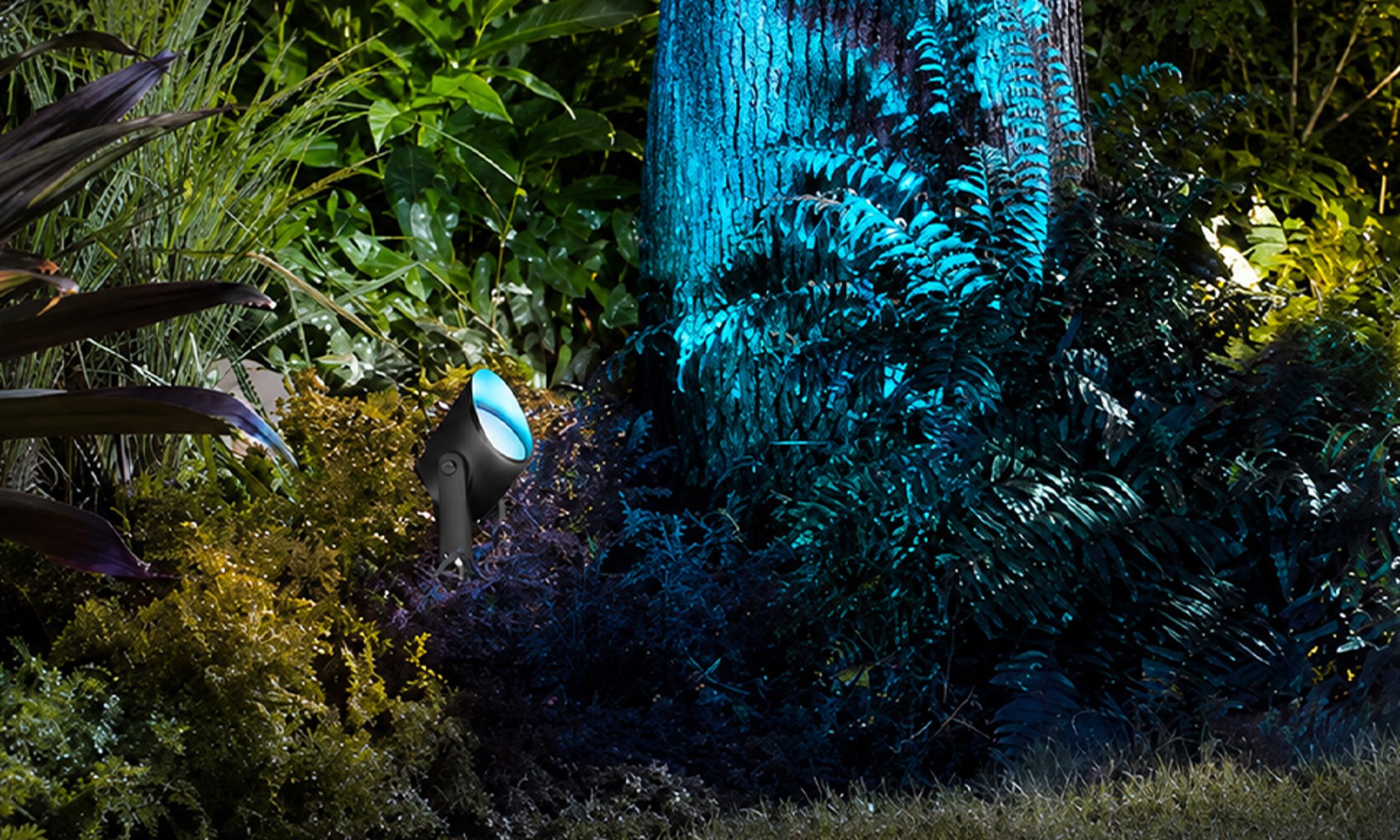
Philips Hue can start a schedule at sunset instead of at a clock time. The Hue app takes sunset from your home location, so the lights come on a little earlier or later as the seasons change. It doesn't have to be the Appear: any Philips Hue outdoor light works, so pick the one that suits the spot.
The Hue Appear outdoor wall lights pair with a Hue Bridge. You add them to an outdoor room in the app, then make one Lighting schedule: start at sunset, end at 12:00 AM, every day.
The Hue Appear outdoor wall lights pair with a Hue Bridge, and Home Assistant picks them up from the Bridge through its Philips Hue integration. Home Assistant works out sunset from your home's location, so an automation set to sunset moves with the seasons: earlier in June, later in December. It doesn't have to be the Appear: any Philips Hue outdoor light works, so pick the one that suits the spot.
You add the lights to an outdoor room in the Hue app, then make two automations in Home Assistant: lights on at sunset, lights off at midnight.
Hue Appear outdoor wall lights are Zigbee lights, so they can pair straight to Home Assistant's own Zigbee (ZHA), with no Hue Bridge. Home Assistant works out sunset from your home's location, so an automation set to sunset moves with the seasons: earlier in June, later in December. It doesn't have to be the Appear: any Philips Hue outdoor light works, so pick the one that suits the spot.
You make two automations: lights on at sunset, lights off at midnight. Without a Bridge the lights aren't in the Hue app, so Hue's own scenes and schedules aren't available.
-
01
Your phone
Set the two times once in the app. After that it runs every evening without you.
-
02
The Shelly kitThe Philips Hue kit
Turns the lights on at sunset and off at midnight, every day.
-
03
Your outdoor lights
Come on a little earlier or later as the seasons change.
What it looks like on your phone
-
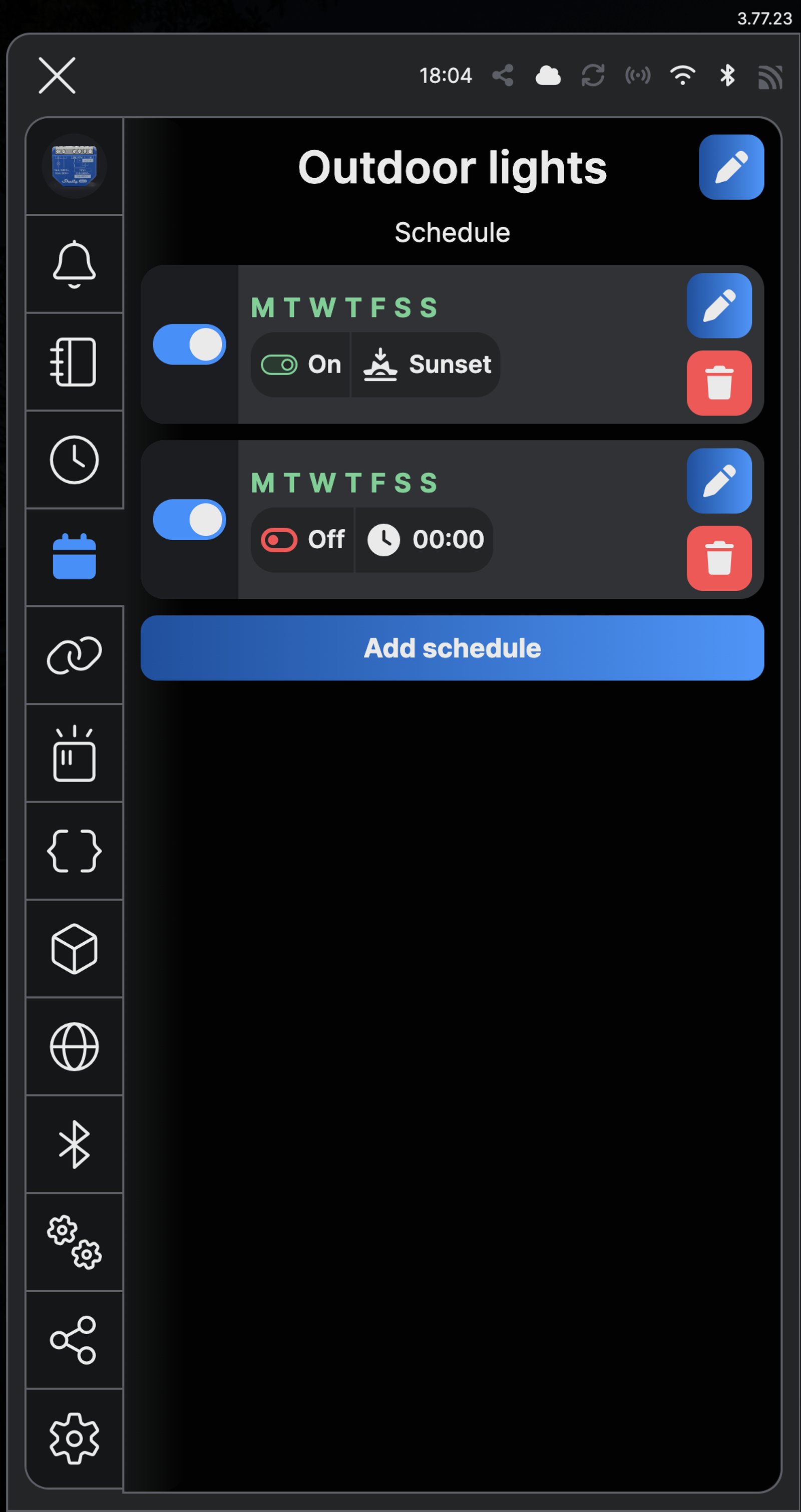
Two schedules. On at sunset and off at 00:00, every day of the week.
-
Sunset, not a set time. An offset brings the lights on earlier or later.
-
One button. Switch the lights from the app whenever you like.
-
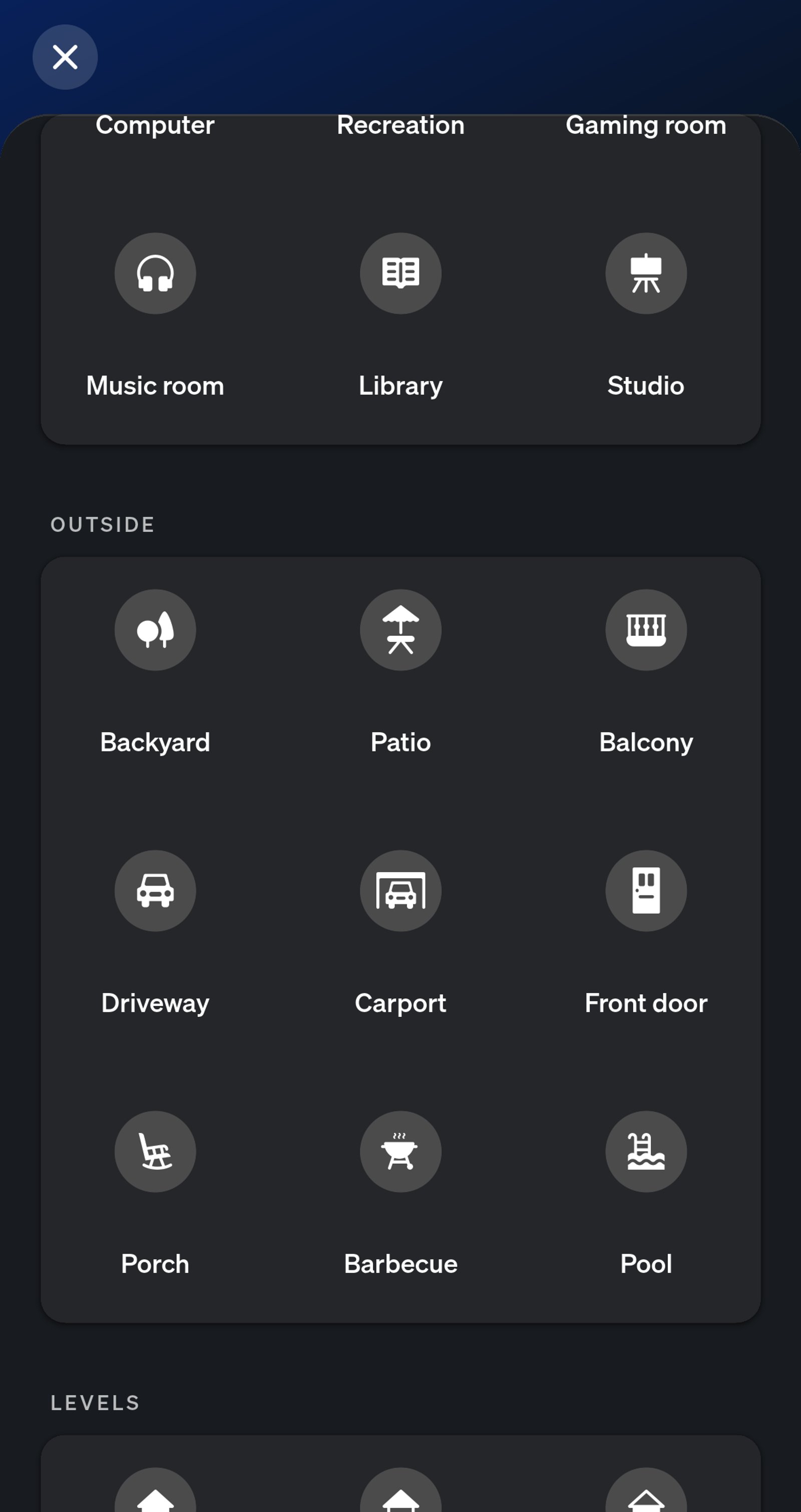
Outdoor room types. Put the light in Porch, Patio or Front door to match where it lives.
-
Home. Your outdoor room sits on the home screen with its own switch.
-
Room page. The light, its scene and the automation are all in one place.
-
Schedule. Start at sunset, end at 12:00 AM, every day.
-
Automations. One switch turns the whole schedule on or off.
-
Porch. The lights and both automations sit together in one area.
-
On at sunset. A sun trigger turns the lights on as the sun sets, all year.
-
Off at midnight. A time trigger turns them off at 00:00, every night.
-
Porch. The lights and both automations sit together in one area.
-
On at sunset. A sun trigger turns the lights on as the sun sets, all year.
-
Off at midnight. A time trigger turns them off at 00:00, every night.
-
Porch. The lights and both automations sit together in one area.
-
On at sunset. A sun trigger turns the lights on as the sun sets, all year.
-
Off at midnight. A time trigger turns them off at 00:00, every night.
Step by step
How you'll set it up
Add the device to Wi-Fi from your phone, or straight from a browser.



Every Shelly has its own built-in web interface, so there's nothing to install. Once it's on your Wi-Fi, type its IP address into a browser on the same network. Before it joins your Wi-Fi, connect your computer to the Shelly's own hotspot and open `192.168.33.1`.
-
Fit the Shelly behind the switch
Mains goes to L and N, with a short bridge from L to I. O runs to the outdoor lights, and the existing wall switch moves to SW, so it still turns them on and off. The diagram follows the relay you picked under What you'll need: the 2PM Gen4 has two outputs (O1, O2) and switch inputs (S1, S2), and the 1L Gen3 takes no N, with the Bypass fitted across the light.
Wire map 1 Gen4- Active (supply) L
- Neutral N
- Bridge from L I
- Light or appliance O
- Wall switch SW
Wire map 1 Mini Gen4- Active (supply) L
- Neutral N
- Bridge from L I
- Light or appliance O
- Wall switch SW
Wire map 2PM Gen4- Active (supply) L
- Neutral N
- Light 1 O1
- Light 2 O2
- Switch 1 S1
- Switch 2 S2
Wire map 1L Gen3- Active (supply) L
- Light, Bypass across it O
- Switch feed Sx
- Wall switch 1 S1
- Wall switch 2 S2
Wire map 1 Gen3- Active (supply) L
- Neutral N
- Bridge from L I
- Light or appliance O
- Wall switch SW
Wire map 1 Mini Gen3- Active (supply) L
- Neutral N
- Bridge from L I
- Light or appliance O
- Wall switch SW
Wire map 1PM Gen3- Active (supply) L
- Neutral N
- Light or appliance O
- Wall switch SW
Wire map 1PM Gen4- Active (supply) L
- Neutral N
- Light or appliance O
- Wall switch SW
Circuit overview1Light / appliance2Wall switchActive (supply)Neutral / 0 VSwitched loadSwitch signal / dry contactIn Australia, fixed 230 V wiring is licensed-electrician work. Use these diagrams to plan the job and brief your electrician.
Showing the whole circuitCircuit overview1Light / appliance2Wall switchActive (supply)Neutral / 0 VSwitched loadSwitch signal / dry contactIn Australia, fixed 230 V wiring is licensed-electrician work. Use these diagrams to plan the job and brief your electrician.
Showing the whole circuitCircuit overview1Light 12Light 23Switch 14Switch 2Active (supply)Neutral / 0 VSwitched loadSwitch signal / dry contactIn Australia, fixed 230 V wiring is licensed-electrician work. Use these diagrams to plan the job and brief your electrician.
Showing the whole circuitCircuit overview1Light2Wall switch 23Wall switch 1Active (supply)Neutral / 0 VSwitched loadSwitch signal / dry contactIn Australia, fixed 230 V wiring is licensed-electrician work. Use these diagrams to plan the job and brief your electrician.
Showing the whole circuitCircuit overview1Light / appliance2Wall switchActive (supply)Neutral / 0 VSwitched loadSwitch signal / dry contactIn Australia, fixed 230 V wiring is licensed-electrician work. Use these diagrams to plan the job and brief your electrician.
Showing the whole circuitCircuit overview1Light / appliance2Wall switchActive (supply)Neutral / 0 VSwitched loadSwitch signal / dry contactIn Australia, fixed 230 V wiring is licensed-electrician work. Use these diagrams to plan the job and brief your electrician.
Showing the whole circuitCircuit overview1Light / appliance2Wall switchActive (supply)Neutral / 0 VSwitched loadSwitch signal / dry contactIn Australia, fixed 230 V wiring is licensed-electrician work. Use these diagrams to plan the job and brief your electrician.
Showing the whole circuitCircuit overview1Light / appliance2Wall switchActive (supply)Neutral / 0 VSwitched loadSwitch signal / dry contactIn Australia, fixed 230 V wiring is licensed-electrician work. Use these diagrams to plan the job and brief your electrician.
Showing the whole circuitThere's no wiring diagram for the here yet. Its installation guide has the manufacturer's wiring diagram. Wire it from the diagram in its manual.
-
Add the Shelly in the app
Add the relay in the Shelly Smart Control app and name it Outdoor lights.
-
Add the sunset schedule
Open Schedule and tap Add schedule. Leave Simple selected, tick every day under Choose Weekday and tap Next. Under Choose time interval, pick Sunrise / Sunset, then tap Sunset and leave the offset at 00h 00min. Tap Next, add a local action, choose Control Output and set it to On. In the web interface, click Create schedule under Schedules. Select every day, tick Use sunset or sunrise offset and choose At sunset, set the action's Output State to On, then click Save.
-
Add the midnight schedule
Add a second schedule for every day. This time choose Time under Choose time interval, set it to 00:00 and tap Next, then set the Control Output action to Off. In the web interface, click Create schedule again, enter 00:00 in Time, select every day and leave Use sunset or sunrise offset unticked. Set the action's Output State to Off and click Save.
-
Check both schedules
Schedule now lists both: On at Sunset and Off at 00:00, every day of the week. The lights come on at sunset tonight, and the start time follows sunset from then on.
-
Fit the Shelly behind the switch
Mains goes to L and N, with a short bridge from L to I. O runs to the outdoor lights, and the existing wall switch moves to SW, so it still turns them on and off. The diagram follows the relay you picked under What you'll need: the 2PM Gen4 has two outputs (O1, O2) and switch inputs (S1, S2), and the 1L Gen3 takes no N, with the Bypass fitted across the light.
Wire map 1 Gen4- Active (supply) L
- Neutral N
- Bridge from L I
- Light or appliance O
- Wall switch SW
Wire map 1 Mini Gen4- Active (supply) L
- Neutral N
- Bridge from L I
- Light or appliance O
- Wall switch SW
Wire map 2PM Gen4- Active (supply) L
- Neutral N
- Light 1 O1
- Light 2 O2
- Switch 1 S1
- Switch 2 S2
Wire map 1L Gen3- Active (supply) L
- Light, Bypass across it O
- Switch feed Sx
- Wall switch 1 S1
- Wall switch 2 S2
Wire map 1 Gen3- Active (supply) L
- Neutral N
- Bridge from L I
- Light or appliance O
- Wall switch SW
Wire map 1 Mini Gen3- Active (supply) L
- Neutral N
- Bridge from L I
- Light or appliance O
- Wall switch SW
Wire map 1PM Gen3- Active (supply) L
- Neutral N
- Light or appliance O
- Wall switch SW
Wire map 1PM Gen4- Active (supply) L
- Neutral N
- Light or appliance O
- Wall switch SW
Circuit overview1Light / appliance2Wall switchActive (supply)Neutral / 0 VSwitched loadSwitch signal / dry contactIn Australia, fixed 230 V wiring is licensed-electrician work. Use these diagrams to plan the job and brief your electrician.
Showing the whole circuitCircuit overview1Light / appliance2Wall switchActive (supply)Neutral / 0 VSwitched loadSwitch signal / dry contactIn Australia, fixed 230 V wiring is licensed-electrician work. Use these diagrams to plan the job and brief your electrician.
Showing the whole circuitCircuit overview1Light 12Light 23Switch 14Switch 2Active (supply)Neutral / 0 VSwitched loadSwitch signal / dry contactIn Australia, fixed 230 V wiring is licensed-electrician work. Use these diagrams to plan the job and brief your electrician.
Showing the whole circuitCircuit overview1Light2Wall switch 23Wall switch 1Active (supply)Neutral / 0 VSwitched loadSwitch signal / dry contactIn Australia, fixed 230 V wiring is licensed-electrician work. Use these diagrams to plan the job and brief your electrician.
Showing the whole circuitCircuit overview1Light / appliance2Wall switchActive (supply)Neutral / 0 VSwitched loadSwitch signal / dry contactIn Australia, fixed 230 V wiring is licensed-electrician work. Use these diagrams to plan the job and brief your electrician.
Showing the whole circuitCircuit overview1Light / appliance2Wall switchActive (supply)Neutral / 0 VSwitched loadSwitch signal / dry contactIn Australia, fixed 230 V wiring is licensed-electrician work. Use these diagrams to plan the job and brief your electrician.
Showing the whole circuitCircuit overview1Light / appliance2Wall switchActive (supply)Neutral / 0 VSwitched loadSwitch signal / dry contactIn Australia, fixed 230 V wiring is licensed-electrician work. Use these diagrams to plan the job and brief your electrician.
Showing the whole circuitCircuit overview1Light / appliance2Wall switchActive (supply)Neutral / 0 VSwitched loadSwitch signal / dry contactIn Australia, fixed 230 V wiring is licensed-electrician work. Use these diagrams to plan the job and brief your electrician.
Showing the whole circuitThere's no wiring diagram for the here yet. Its installation guide has the manufacturer's wiring diagram. Wire it from the diagram in its manual.
-
Add the Shelly in the app
Add the relay in the Shelly Smart Control app and name it Outdoor lights.
-
Add it to Home Assistant
In Home Assistant, go to Settings, then Devices & services, select Add integration and choose Shelly. Enter the relay's IP address, which your router lists, and select Submit. Home Assistant talks to the relay directly over your home network. Name it Outdoor lights and put it in an area, such as Porch.
-
Turn the lights on at sunset
Go to Settings, then Automations & scenes, and select Create automation. Select Add trigger, choose Sun and set it to sunset. Then select Add action and choose one that turns on your outdoor lights. Check the trigger and the action, select Save and name it Lights on at sunset.
-
Turn them off at midnight
Create a second automation. Select Add trigger, choose Time and set it to 00:00. Then select Add action and choose one that turns off your outdoor lights. Check them, select Save and name it Lights off at midnight.
-
Check both are there
Automations & scenes now lists Lights on at sunset and Lights off at midnight. They're on as soon as you save them, so the lights come on at sunset tonight.
-
Set up the Bridge
Open the Hue app and add the Bridge, then follow the on-screen steps. Do this before you add the light.
-
Add the light to an outdoor room
On the Home tab, tap the three dots, then Add devices. Create a room from the Outside group, such as Porch, Patio or Front door, then scan the QR code on the light. If you can't scan it, choose the option to set up without a QR code and let the app search. Give the light a name you'll recognise, like Porch light.
-
Start a Lighting schedule
Open the Automations tab, tap Create automation and choose Lighting schedule.
-
Set sunset to midnight
Tap Start at, choose Sunset and tap Done. Tap End at, choose At a specific time and set 12:00 AM. Leave Repeat on for every day, or pick the days you want. The first time you use Sunset, the app asks for your home location so it can work out the time.
-
Choose the light and the scene
Pick your outdoor room and tap Next. Leave the scene on Bright, or choose one you like, then name the automation and tap Done.
-
Check it's on
The Automations tab now lists the schedule as Sunset to 12:00 AM, every day. The switch beside it turns the whole schedule off and on.
-
Set up the Bridge
Open the Hue app and add the Bridge, then follow the on-screen steps. Do this before you add the light.
-
Add the light to an outdoor room
On the Home tab, tap the three dots, then Add devices. Create a room from the Outside group, such as Porch, Patio or Front door, then scan the QR code on the light. If you can't scan it, choose the option to set up without a QR code and let the app search. Give the light a name you'll recognise, like Porch light.
-
Add the Bridge to Home Assistant
In Home Assistant, go to Settings, then Devices & services, select Add integration and choose Philips Hue. Pick your Bridge, then press the button on top of it when Home Assistant asks. Your Hue lights then show up in Home Assistant.
-
Turn the lights on at sunset
Go to Settings, then Automations & scenes, and select Create automation. Select Add trigger, choose Sun and set it to sunset. Then select Add action and choose one that turns on your outdoor lights. Check the trigger and the action, select Save and name it Lights on at sunset.
-
Turn them off at midnight
Create a second automation. Select Add trigger, choose Time and set it to 00:00. Then select Add action and choose one that turns off your outdoor lights. Check them, select Save and name it Lights off at midnight.
-
Check both are there
Automations & scenes now lists Lights on at sunset and Lights off at midnight. They're on as soon as you save them, so the lights come on at sunset tonight.
-
Fit the lights
Fit the Hue outdoor lights in place of the old ones and switch them on at the wall.
-
Reset lights that have been on a Bridge
New lights are ready to pair. A light that's been on a Hue Bridge before has to be factory reset first: removing it from the Bridge isn't enough. Switch it on, hold a Hue dimmer switch within 10 cm of it, and press and hold the on and off buttons together until it blinks, about 10 seconds. Newer lights can also be reset over Bluetooth in the Hue app.
-
Pair them in Home Assistant
In Home Assistant, go to Settings, then Devices & services, open Zigbee Home Automation and select Add device. While it shows Searching for Zigbee devices, the lights join one by one. Name them Outdoor lights and put them in an area, such as Porch.
-
Turn the lights on at sunset
Go to Settings, then Automations & scenes, and select Create automation. Select Add trigger, choose Sun and set it to sunset. Then select Add action and choose one that turns on your outdoor lights. Check the trigger and the action, select Save and name it Lights on at sunset.
-
Turn them off at midnight
Create a second automation. Select Add trigger, choose Time and set it to 00:00. Then select Add action and choose one that turns off your outdoor lights. Check them, select Save and name it Lights off at midnight.
-
Check both are there
Automations & scenes now lists Lights on at sunset and Lights off at midnight. They're on as soon as you save them, so the lights come on at sunset tonight.
Frequently asked questions
Should I use Shelly or Philips Hue?
Use Shelly if you're happy with the outdoor lights you have: the relay fits behind the existing switch and runs whatever is on that circuit. Use Philips Hue if you're putting in new lights and want to dim them or pick a scene from the app. Hue lights need a Hue Bridge. Both work in Home Assistant as well, if you'd rather run the schedule there.
Will the wall switch still work?
Yes. The switch connects to the relay's SW input, so it turns the lights on and off as before. The schedules carry on regardless: flick the lights off at 9 pm and they still come on at sunset tomorrow.
How does it know when sunset is?
The Shelly works out sunset from its location and time zone, which it detects when it goes online. You can check or change both in the device settings.
Can the lights come on a little before sunset?
Yes. A sunset schedule takes an offset in hours and minutes, before or after sunset, so you can have the lights on 15 minutes early while there's still some light in the sky.
What happens if the internet drops out?
Both schedules are stored on the relay, so they don't rely on Shelly's cloud to run. The relay does set its clock over the internet, though, so a long outage or a reset can leave the times out until it reconnects.
My switch box has no neutral. Can I still do this?
Yes, with the Shelly 1L Gen3 in place of the 1 Gen4. It runs without a neutral, but it needs a Shelly Bypass fitted next to the light, and together they switch lights above 5 W.
Can I run the porch and garden lights on different times?
Yes. The Shelly 2PM Gen4 switches two circuits from one relay, and each has its own schedules. Or fit a relay on each circuit.
Do I need a Hue Bridge?
Yes. The Appear, Impress and Discover outdoor lights all need one. The Bridge supports up to 50 lights and 12 accessories, and the Bridge Pro supports 150 or more lights and 50 or more accessories.
What happens as the seasons change?
Sunset comes from your home location, so the start time moves with it through the year while the end time stays at 12:00 AM. The Hue app suggests checking the times now and then as the seasons change. If you'd rather the lights come on a little before or after sunset, change the start time on the automation.
Can the lights come on at different times on weekends?
Yes. Turn Repeat on and choose the days, or make a second schedule with its own days and times.
Are these lights weatherproof?
The Appear, Impress and Discover are rated IP44, which covers splashing water from any direction. They suit a wall, a covered porch or under an eave.
Can I use an indoor Hue light outside?
Not out in the open. Indoor lights aren't made for the weather, so use an outdoor light like the ones in the kit.
Can I add a motion sensor?
Yes. The Hue Outdoor Motion Sensor is battery powered, rated IP54, and turns your outdoor lights on when someone walks by. It has a daylight sensor too, so it can leave the lights alone while it's still light.
How does Home Assistant know when sunset is?
From your home's location in Home Assistant's settings. The sun trigger works out sunset from it every day, so the lights come on a little earlier or later as the seasons change.
What happens if Home Assistant is offline?
The automations live in Home Assistant, so they won't run while it's down, but the wall switch still works. If you'd rather the schedule kept running on its own, set it in the Shelly app instead: those schedules are stored on the relay.
Why go through the Hue Bridge?
The lights stay in the Hue app with your Hue scenes and show up in Home Assistant as well, with no Zigbee adapter to add. Pairing straight to Home Assistant's Zigbee skips the Bridge, but the lights are then only in Home Assistant.
What do I give up without a Hue Bridge?
The Hue app. Paired straight to Home Assistant, the lights only run from there, so Hue's own scenes and schedules aren't available. Home Assistant's automations do the sunset timing instead.
Do I need a Zigbee adapter?
Yes. Home Assistant talks to Zigbee devices through a coordinator plugged into the machine it runs on. If you already run Zigbee in Home Assistant, the adapter you have will do.
More Shelly solutions
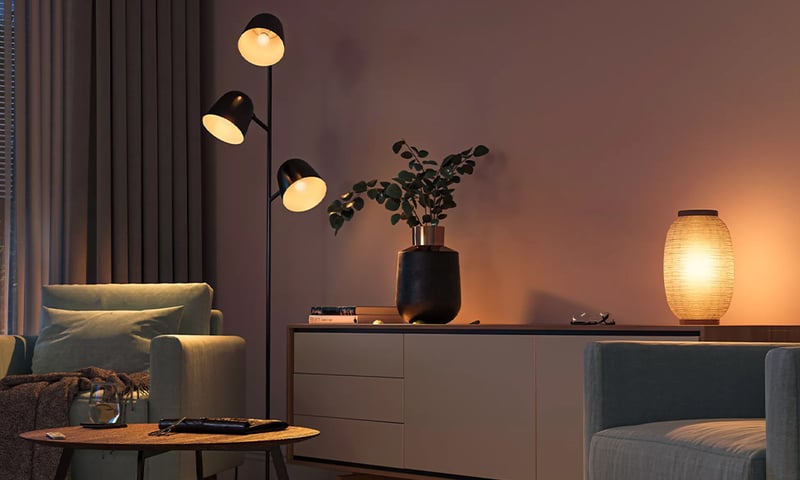
Lights that dim on a schedule each evening
The lights fade down to a low glow after dinner instead of snapping between full and off. Do it with a Shelly dimmer behind the wall plate or Philips Hue bulbs, in their app or Home Assistant. Control with any of


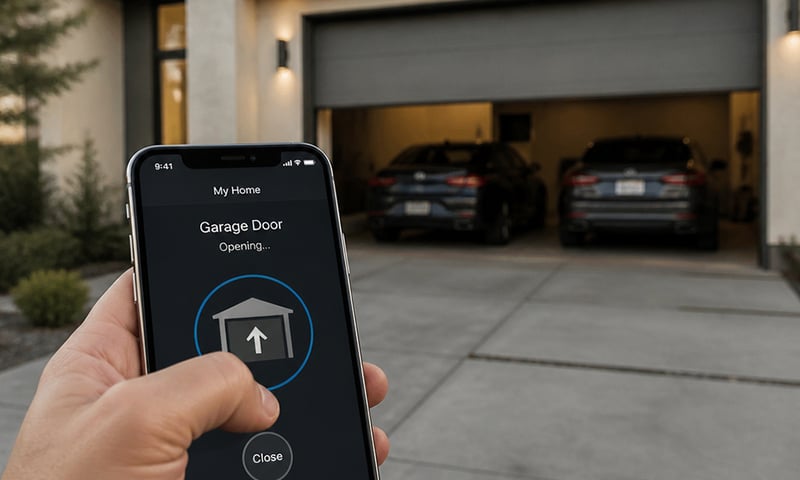
Open the garage door or gate from your phone
Wire the relay across the opener's button terminals and the roller door, swing gate or door release answers your phone as well as the wall button. Pair it with a contact sensor and you'll also know whether the door is actually shut. Control with any of 
A roof-space fan that runs when the roof gets hot
A temperature probe in the roof space switches the exhaust fan on when the air up there gets hot, and off again once it cools. It runs on the relay itself, so it keeps working without the internet. Control with any of More Philips Hue solutions
Lights that dim on a schedule each evening
The lights fade down to a low glow after dinner instead of snapping between full and off. Do it with a Shelly dimmer behind the wall plate or Philips Hue bulbs, in their app or Home Assistant. Control with any of 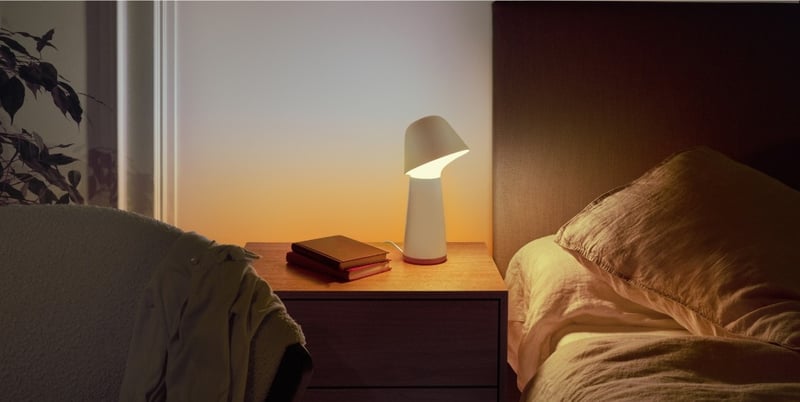
Lights that fade up to wake you in the morning
The bedroom lights come up slowly before your alarm, so you wake to a lit room instead of a dark one. Do it with a Shelly dimmer behind the wall plate or Philips Hue bulbs, in their app or Home Assistant. Control with any of 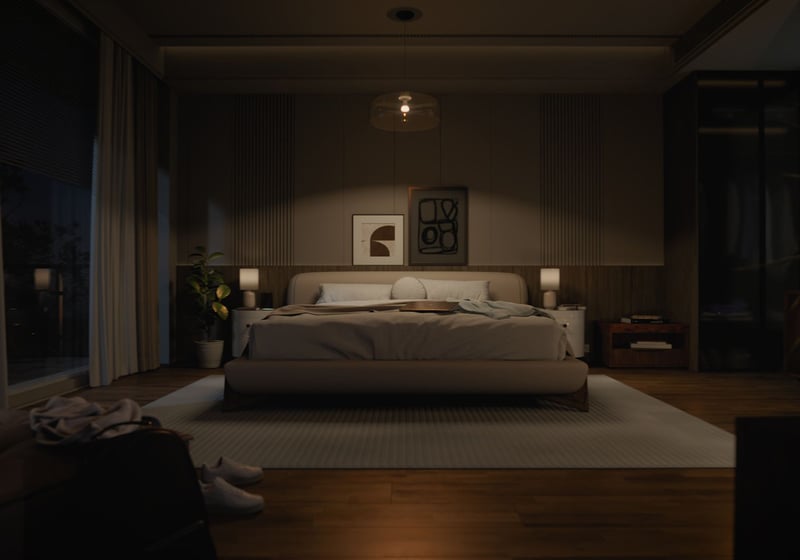
Lights that come on as you walk in, softer late at night
A sensor turns the bedroom or hallway light on as you walk in, at full brightness in the evening and a low glow at 2am. Fit Philips Hue bulbs and a motion sensor, or keep your lights and add a Shelly dimmer and presence sensor. Control with any of More Home Assistant solutions
Lights that dim on a schedule each evening
The lights fade down to a low glow after dinner instead of snapping between full and off. Do it with a Shelly dimmer behind the wall plate or Philips Hue bulbs, in their app or Home Assistant. Control with any of Open the garage door or gate from your phone
Wire the relay across the opener's button terminals and the roller door, swing gate or door release answers your phone as well as the wall button. Pair it with a contact sensor and you'll also know whether the door is actually shut. Control with any of A roof-space fan that runs when the roof gets hot
A temperature probe in the roof space switches the exhaust fan on when the air up there gets hot, and off again once it cools. It runs on the relay itself, so it keeps working without the internet. Control with any of More Home Assistant solutions
Lights that dim on a schedule each evening
The lights fade down to a low glow after dinner instead of snapping between full and off. Do it with a Shelly dimmer behind the wall plate or Philips Hue bulbs, in their app or Home Assistant. Control with any of Open the garage door or gate from your phone
Wire the relay across the opener's button terminals and the roller door, swing gate or door release answers your phone as well as the wall button. Pair it with a contact sensor and you'll also know whether the door is actually shut. Control with any of A roof-space fan that runs when the roof gets hot
A temperature probe in the roof space switches the exhaust fan on when the air up there gets hot, and off again once it cools. It runs on the relay itself, so it keeps working without the internet. Control with any of More Home Assistant solutions
Lights that dim on a schedule each evening
The lights fade down to a low glow after dinner instead of snapping between full and off. Do it with a Shelly dimmer behind the wall plate or Philips Hue bulbs, in their app or Home Assistant. Control with any of Open the garage door or gate from your phone
Wire the relay across the opener's button terminals and the roller door, swing gate or door release answers your phone as well as the wall button. Pair it with a contact sensor and you'll also know whether the door is actually shut. Control with any of A roof-space fan that runs when the roof gets hot
A temperature probe in the roof space switches the exhaust fan on when the air up there gets hot, and off again once it cools. It runs on the relay itself, so it keeps working without the internet. Control with any of Still need a hand?
We answer most messages within one business day. If your question is about an existing order, have your order number ready. It speeds things up.
Contact usThe kit
Which should I choose?
Both do the job. The difference is how they connect, and which app you'll run them from.
-
Shelly
Wi-FiKeep your outdoor lights. A Wi-Fi relay behind the wall switch runs them.
- You'd rather keep the lights you have
- You don't have a smart home hub
- You want the wall switch to keep working
-
Philips Hue
ZigbeeNew Hue outdoor lights, on a Hue Bridge or straight to Home Assistant.
- You're replacing the outdoor lights anyway
- You already have a Hue Bridge
- You want the outdoor motion sensor as well

The kit
Choose your relay
Each of these does the job. The steps on this page are written for the recommended one.
Also works (12)
These can do the job too, but they carry more than it needs or fit somewhere less handy. We'd pick one of the options above.
The kit
Choose your light
Each of these does the job. The steps on this page are written for the recommended one.
The kit
Choose your bridge
Each of these does the job. The steps on this page are written for the recommended one.