


















How it works
An Ogemray 25A goes in the hot water system's supply and switches it. One schedule, stored on the relay, turns the circuit on when your cheap window starts and off again after the hours you set. Inside that window the tank's own thermostat does what it always has, heating until the water is hot and then stopping.
The relay also measures power, so the app shows the element drawing while it heats and charts the energy each day. Change your plan, or add solar, and you change one time in the app.
An Ogemray 25A goes in the hot water system's supply and switches it, and Home Assistant talks to it over your Wi-Fi through its Shelly integration.
You enter your plan's rates once, as a price sensor that knows what each hour costs. An automation watches that price: when it drops to an off-peak rate, the hot water switches on, and when it goes back up, it switches off. Change plans and you change the prices in one place, not a set of schedules.
-
01
Your phone
Set the heating window from the app and see what each heat-up uses.
-
02
Shelly relay
Lets the element heat only in your cheap window, then switches it off.
-
03
Your hot water system
Heats on cheap power. Its thermostat still decides how hot.
Check your hot water and your plan first
This is for an electric hot water system. Look at your bill: if the hot water is on a controlled-load tariff, it already heats off-peak. Otherwise, find your plan's off-peak window, and check the element's rating on the tank's rating plate (up to 6000 W for the Ogemray 25A).
What it looks like on your phone
-
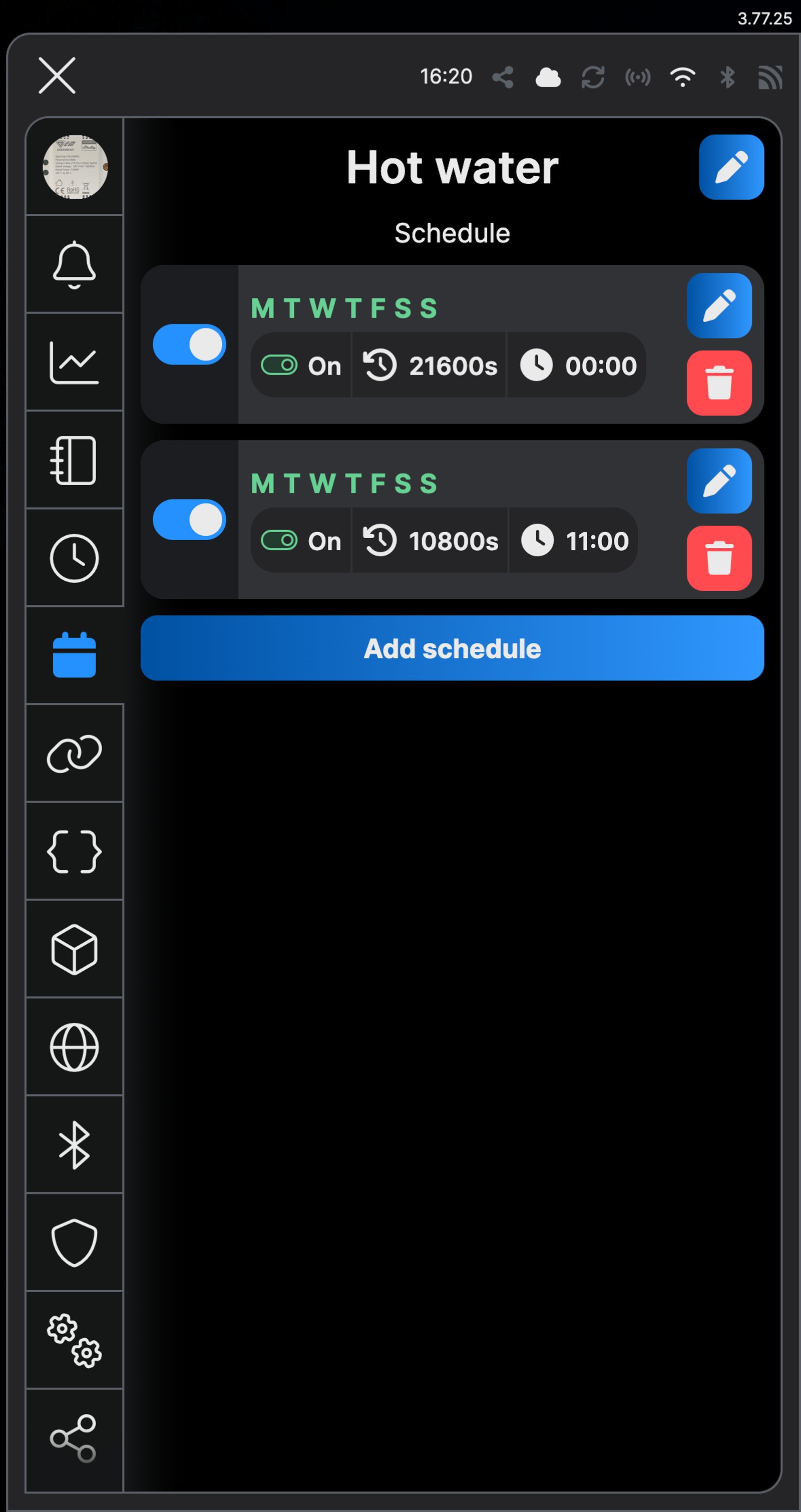
Two cheap windows. Midnight for six hours, and 11 am for three, every day.
-
The start time. Set it to when your cheap rate begins.
-
The run time. On, then back off after the seconds you choose.
-
The rule. Below the off-peak price, the hot water turns on. Above it, off.
-
Your tariff. One price sensor holds your plan's rates by the hour.
-
At the peak rate. The hot water is off, waiting for the cheap window.
Step by step
How you'll set it up
Add the device to Wi-Fi from your phone, or straight from a browser.



Every Shelly has its own built-in web interface, so there's nothing to install. Once it's on your Wi-Fi, type its IP address into a browser on the same network. Before it joins your Wi-Fi, connect your computer to the relay's own hotspot and open `192.168.33.1`.
-
Fit the relay to the hot water circuit
Mains goes to L and N. L1 feeds the hot water system, and its neutral runs back as before. S1 and COM stay empty.
Wire map Ogemray 25A- Active (supply) L
- Neutral N
- Hot water system L1
Circuit overviewActive (supply)Neutral / 0 VSwitched loadIn Australia, fixed 230 V wiring is licensed-electrician work. Use these diagrams to plan the job and brief your electrician.
Showing the whole circuitThere's no wiring diagram for the here yet. Its installation guide has the manufacturer's wiring diagram. Wire it from the diagram in its manual.
-
Add it to the Shelly app and name it Hot water
Add the relay in the Shelly Smart Control app and name it Hot water, so the schedule and the power readings say what they're for.
-
Add a daily schedule
Open Schedule and tap Add schedule. With Simple selected, tick every day under Choose Weekday and tap Next. Leave Choose time interval on Time, set the start of your cheapest overnight window (00:00 here) and tap Next. In the web interface, open Schedules and click Create schedule, enter the Time and select every day.
-
Heat for six hours, then stop
Tap Add local action and choose Control Output. Set it to On, turn on Toggle value after and enter 21600, which is six hours in seconds. Tap Save, then Next, then Save. In the web interface, click Add action to execute, choose Control Output, set it to On and Flip value after to 21600, then click Save local action and Save.
-
Add a midday window, if your plan has one
Some plans add a cheaper window in the middle of the day, when solar floods the grid. Add a second schedule the same way: every day at 11:00, On, with Toggle value after set to 10800, which is three hours. The tank then heats from midnight to 6 am and again from 11 am to 2 pm.
-
Check the schedule
Schedule now lists the overnight window: On at 00:00, toggling back after 21600 seconds, every day. If you added the midday window, it's on the line below. Schedules in the web interface shows the same list.
-
Adjust it to suit your household
Give it a week or two. If the hot water starts running out during evening showers, add a second schedule for a top-up: every day at 18:00, On, with Toggle value after set to 3600, which is one hour. That hour is usually at the dearer rate, so keep it short. If the energy chart shows the element stopping well before the overnight window ends, shorten that one instead.
-
Fit the relay to the hot water circuit
Mains goes to L and N. L1 feeds the hot water system, and its neutral runs back as before. S1 and COM stay empty.
Wire map Ogemray 25A- Active (supply) L
- Neutral N
- Hot water system L1
Circuit overviewActive (supply)Neutral / 0 VSwitched loadIn Australia, fixed 230 V wiring is licensed-electrician work. Use these diagrams to plan the job and brief your electrician.
Showing the whole circuitThere's no wiring diagram for the here yet. Its installation guide has the manufacturer's wiring diagram. Wire it from the diagram in its manual.
-
Add it to Home Assistant
In Home Assistant, go to Settings, then Devices & services, select Add integration and choose Shelly. Enter the relay's IP address, which your router lists, and select Submit. Home Assistant talks to the relay directly over your home network. Name it Hot water.
-
Enter your rates as a price sensor
Go to Settings, then Devices & services, then Helpers, and select Create helper. Choose Template, then Sensor. Name it Electricity price, set the unit to AUD/kWh, paste the state template below and select Submit. It's for a plan with super off-peak from 11 am to 2 pm and off-peak from midnight to 6 am: change the hours and prices to match your bill.
State template {% set h = now().hour %} {% if 11 <= h < 14 %}0.099 {% elif h < 6 %}0.16 {% else %}0.338 {% endif %} -
Switch the hot water with the price
Go to Settings, then Automations & scenes, and select Create automation. Trigger it when Electricity price changes, and when Home Assistant starts. For the action, add If-then: if Electricity price is below 0.17, turn on Hot water; else, turn it off. Pick the figure that sits just above your off-peak rate. Check the If, Then and Else, select Save and name it Hot water on cheap power.
-
Check it
On the Hot water device page, the switch is off at the peak rate and turns itself on when the off-peak rate starts. The Power reading shows the element drawing while the tank heats.
-
Adjust it to suit your household
Give it a week or two. If the hot water runs out during evening showers, add a second automation that turns Hot water on at 18:00 and off at 19:00. That hour is at the dearer rate, so keep it short.
Frequently asked questions
My hot water is already on off-peak. Do I need this?
If your bill shows a controlled-load tariff for the hot water, your network already switches it to off-peak hours, and a relay adds a power reading but no saving. This page is for a hot water system on your main tariff, such as a time-of-use plan, or one you want to run on solar instead.
How do I run it on my solar instead?
Set the schedule to start late morning, say 10:00, while the panels are producing, and run it for five hours (18000 seconds). On a cloudy week the tank may not get hot enough, so add a short overnight schedule as a top-up.
Will I run out of hot water?
Not if the window is long enough for the tank to reheat after a day's use. The energy chart shows when the element stops drawing each day; if it's still drawing when the schedule ends, lengthen the window.
Does it work with a heat pump?
A heat pump draws much less than an element, and many have their own timer. Check its manual first: if it has a timer, use that; if it's happy to have its power switched, the relay works the same way.
What size hot water system will the relay handle?
Up to 25 A, or 6000 W. The element rating is on the tank's rating plate; a typical electric storage tank is well inside that.
What happens if the internet drops out?
The schedule is stored on the relay, so it keeps running on its own. The relay sets its clock over the internet, though, so a long outage or a reset can leave the times out until it reconnects.
Can I turn the hot water on outside the schedule?
Yes. Tap the relay in the app to turn it on, for a top-up after guests, say. The schedule turns it off again at the end of its window, or set an auto-off so it doesn't run longer than you meant.
Can it follow live prices instead?
Yes, if your retailer offers them to Home Assistant. Amber Electric has a built-in integration with a live price sensor: point the automation at that sensor instead of your own, and the hot water heats whenever power is cheap. Some other retailers have community integrations.
Should I also set a schedule in the Shelly app?
No. Let Home Assistant do the switching. A schedule on the relay as well would turn the hot water on and off at its own times, fighting the automation.
More Shelly solutions

Run the pool pump when it costs less
The pool pump is one of the hungriest circuits in most houses, so schedule its runs into off-peak windows and see what each one uses. Changing the season's run times happens from the couch, not the pump shed. Control with any of

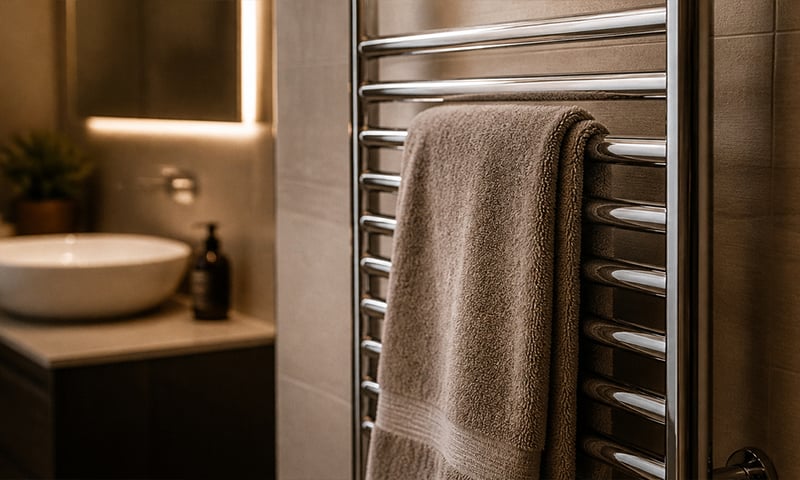
A warm towel rail on winter mornings
Schedule the rail for weekday mornings and it's warm when you step out of the shower, off again before you leave. No more discovering it's been heating an empty house all day. Control with any of 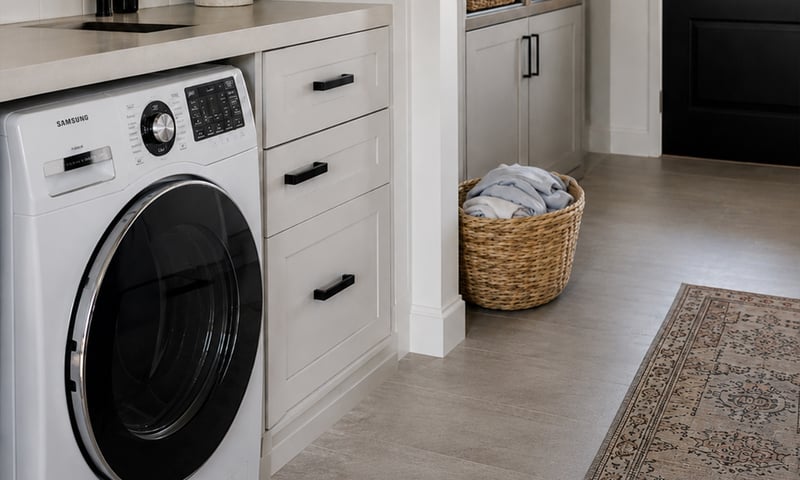
Switch off an appliance left running
A metering relay on the heater's supply switches it off after the time you set, and can message you when it has been drawing power too long. The same alert can tell you the washing has finished. Control with any of More Home Assistant solutions
Run the pool pump when it costs less
The pool pump is one of the hungriest circuits in most houses, so schedule its runs into off-peak windows and see what each one uses. Changing the season's run times happens from the couch, not the pump shed. Control with any of A warm towel rail on winter mornings
Schedule the rail for weekday mornings and it's warm when you step out of the shower, off again before you leave. No more discovering it's been heating an empty house all day. Control with any of Switch off an appliance left running
A metering relay on the heater's supply switches it off after the time you set, and can message you when it has been drawing power too long. The same alert can tell you the washing has finished. Control with any of Still need a hand?
We answer most messages within one business day. If your question is about an existing order, have your order number ready. It speeds things up.
Contact usThe kit
Choose your relay
Each of these does the job. The steps on this page are written for the recommended one.