

















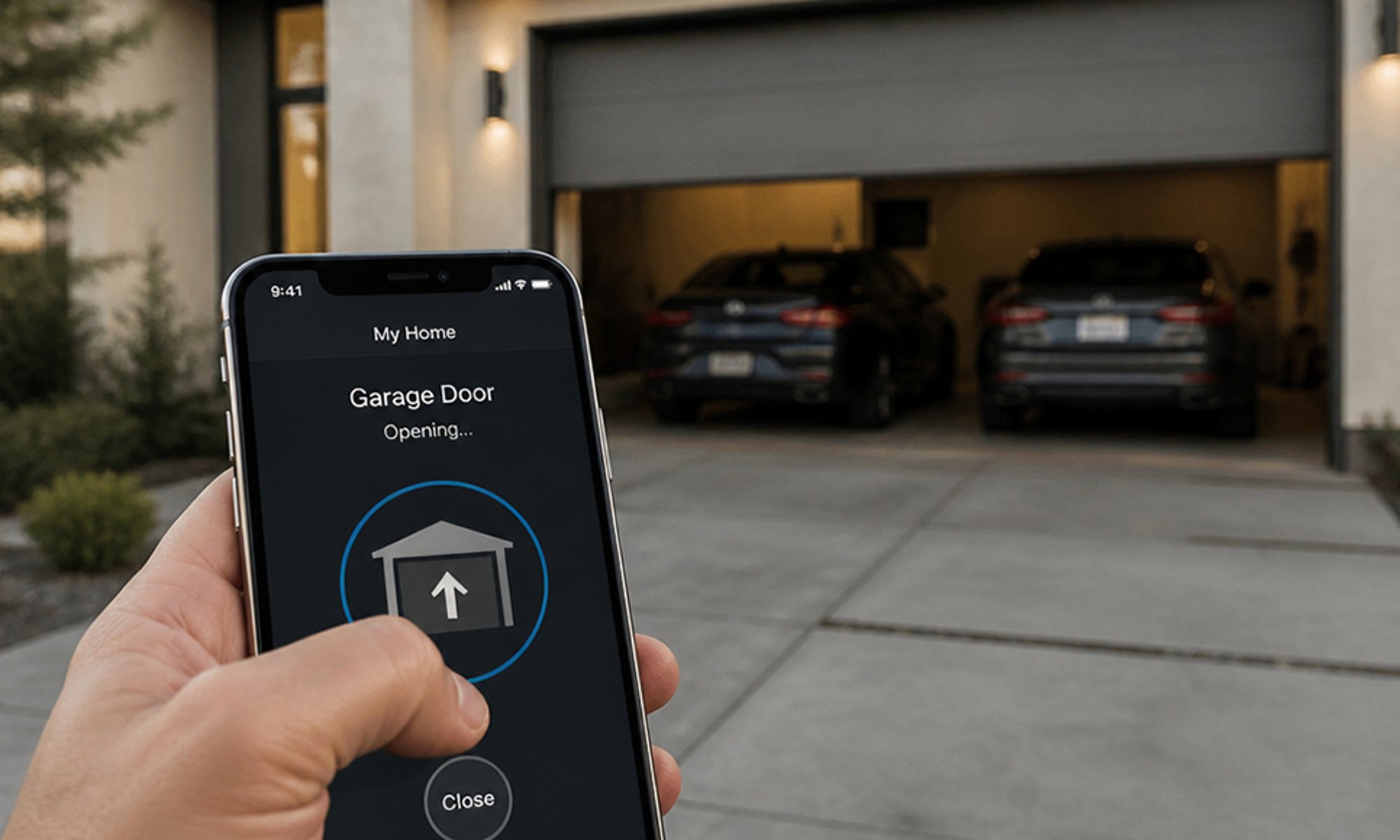
How it works
Almost every gate and garage motor has a pushbutton input on its control board, the terminals a wired wall button connects to. Bridge them for a moment and the motor runs its own open, stop or close cycle. That is all a remote or keypad does.
A Shelly 1 Gen4 sits inside the motor housing and does the same thing on command. Its output is a dry contact, so the motor's board just sees a button press. Set the relay to a one-second pulse, pair it with your phone over Matter, and the gate opens from the couch, the car, or the other side of the country.
The Shelly 1 Gen4 sits inside the motor housing and bridges the motor's pushbutton terminals for a moment, the same as a wired wall button. Home Assistant adds it as a switch through its Shelly integration.
The one-second pulse is set on the Shelly itself, so every on from Home Assistant, a dashboard or a voice assistant becomes a quick button press, and the motor runs its own open, stop or close cycle.
-
01
Your phone
Tap the gate in your home app, ask your voice assistant, or open it as you pull in.
-
02
Shelly relay
Presses the motor's button input for one second, the same as the wall button.
-
03
Your gate or garage door
The motor runs its own open, stop or close cycle, as it does for the remote.
Check your motor first
The relay connects to the pushbutton input on the motor's control board, the terminals a wired wall button uses. The manual names them; look for one of these.
- PB
- SBS
- Start
- Open
In Australia
Most gate and garage motors run from 240 V mains, and connecting anything to fixed wiring is licensed electrical work. Budget for a licensed electrician to fit the relay.
What it looks like on your phone
-
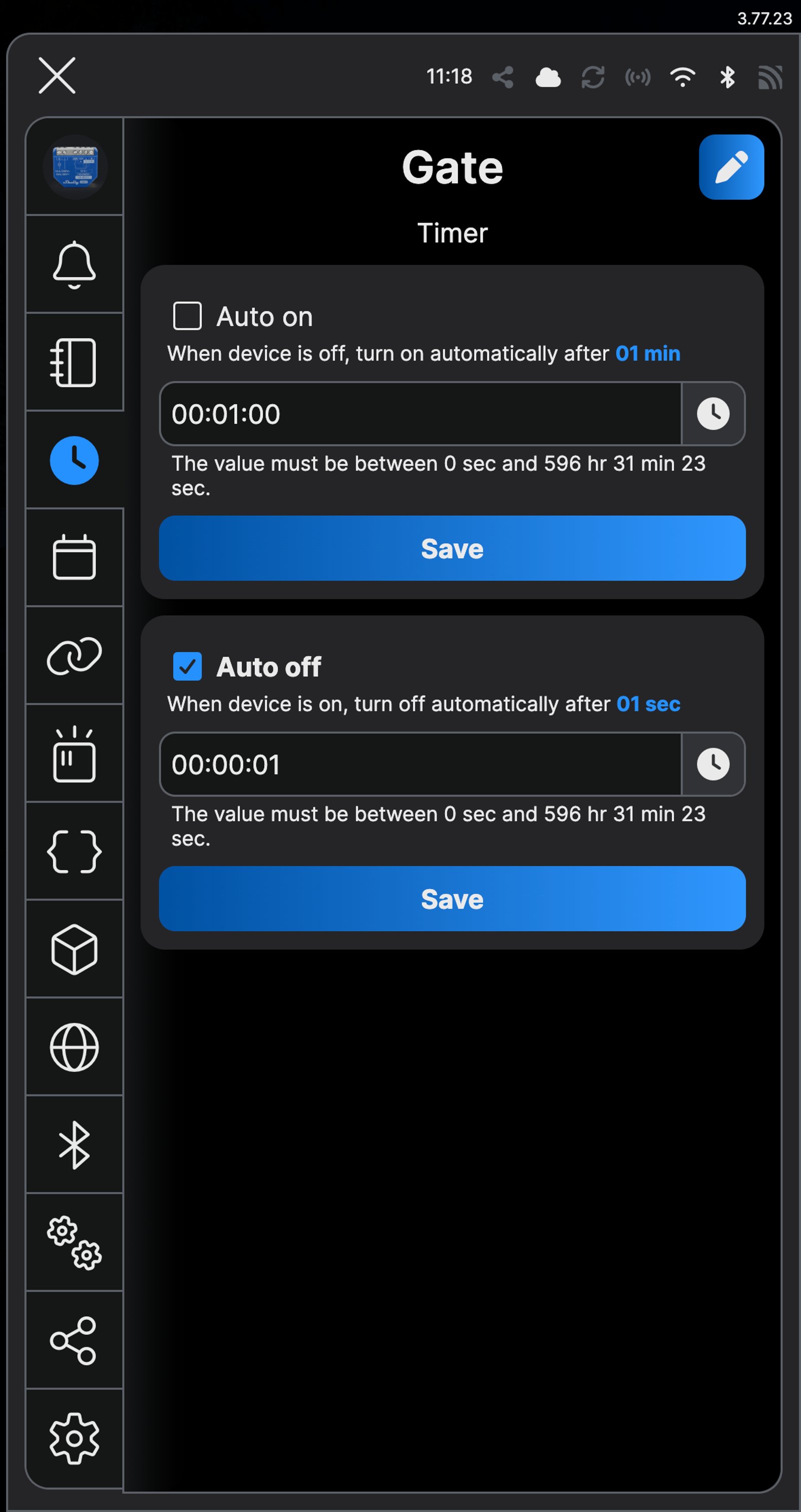
Timer. Auto off turns every tap into a one-second press.
-
One button. Tap it and the gate opens.
-
Schedules. Open the gate at set times, like 7:30 on weekdays.
-
Activity log. Every open is time-stamped.
-
One switch. Turn on Gate and it switches back off a second later, like a press of the wall button.
Step by step
How you'll set it up
Add the device to Wi-Fi from your phone, or straight from a browser.



Every Shelly has its own built-in web interface, so there's nothing to install. Once it's on your Wi-Fi, type its IP address into a browser on the same network. Before it joins your Wi-Fi, connect your computer to the Shelly's own hotspot and open `192.168.33.1`.
-
Find the pushbutton input on your motor
Open the motor's manual and look for terminals marked PB, SBS, Start or Open on the control board. It is the same input a wired wall button uses, and nearly every gate and garage motor sold in Australia has one.
-
Fit the Shelly to the motor
The relay's output connects across the pushbutton terminals, and the relay itself takes power from the mains circuit that feeds the motor rather than from the control board. It usually fits inside the motor housing. If the housing is cramped, the smaller 1 Mini Gen4 does the same job, or the relay can sit in a weatherproof enclosure beside the motor.
Wire map 1 Gen4- Active (supply) L
- Neutral N
- Opener trigger O
- Opener trigger, other side I
- Push button (optional) SW
Wire map 1 Gen3- Active (supply) L
- Neutral N
- Opener trigger O
- Opener trigger, other side I
- Push button (optional) SW
Wire map 1 Mini Gen3- Active (supply) L
- Neutral N
- Opener trigger O
- Opener trigger, other side I
- Push button (optional) SW
Wire map 1 Mini Gen4- Active (supply) L
- Neutral N
- Opener trigger O
- Opener trigger, other side I
- Push button (optional) SW
Circuit overview1Push buttonActive (supply)Neutral / 0 VSwitch signal / dry contactIn Australia, fixed 230 V wiring is licensed-electrician work. Use these diagrams to plan the job and brief your electrician.
Showing the whole circuitCircuit overview1Push buttonActive (supply)Neutral / 0 VSwitch signal / dry contactIn Australia, fixed 230 V wiring is licensed-electrician work. Use these diagrams to plan the job and brief your electrician.
Showing the whole circuitCircuit overview1Push buttonActive (supply)Neutral / 0 VSwitch signal / dry contactIn Australia, fixed 230 V wiring is licensed-electrician work. Use these diagrams to plan the job and brief your electrician.
Showing the whole circuitCircuit overview1Push buttonActive (supply)Neutral / 0 VSwitch signal / dry contactIn Australia, fixed 230 V wiring is licensed-electrician work. Use these diagrams to plan the job and brief your electrician.
Showing the whole circuitThere's no wiring diagram for the here yet. Its installation guide has the manufacturer's wiring diagram. Wire it from the diagram in its manual.
-
Set the output to a one-second pulse
In the Shelly app, open Timer, tick Auto off, set it to 00:00:01 and tap Save. In the web interface, open the output's Timers, tick Enable under Auto OFF, enter 1 and click Save. Every on now behaves like a quick button press instead of a held switch.
-
Check it pulses
Tap Turn on in the Shelly app. The Activity log shows each press as an on, then an off a second later, the same as a quick press of a wired button.
-
Add it to your home app over Matter
Matter is on by default on the Gen4, so scan the QR code on the device label with Apple Home, Google Home or SmartThings and name it Gate.
-
Open it from anywhere
Tap the tile, ask your voice assistant, or let the gate open as you arrive home.
-
Find the pushbutton input on your motor
Open the motor's manual and look for terminals marked PB, SBS, Start or Open on the control board. It is the same input a wired wall button uses, and nearly every gate and garage motor sold in Australia has one.
-
Fit the Shelly to the motor
The relay's output connects across the pushbutton terminals, and the relay itself takes power from the mains circuit that feeds the motor rather than from the control board. It usually fits inside the motor housing. If the housing is cramped, the smaller 1 Mini Gen4 does the same job, or the relay can sit in a weatherproof enclosure beside the motor.
Wire map 1 Gen4- Active (supply) L
- Neutral N
- Opener trigger O
- Opener trigger, other side I
- Push button (optional) SW
Wire map 1 Gen3- Active (supply) L
- Neutral N
- Opener trigger O
- Opener trigger, other side I
- Push button (optional) SW
Wire map 1 Mini Gen3- Active (supply) L
- Neutral N
- Opener trigger O
- Opener trigger, other side I
- Push button (optional) SW
Wire map 1 Mini Gen4- Active (supply) L
- Neutral N
- Opener trigger O
- Opener trigger, other side I
- Push button (optional) SW
Circuit overview1Push buttonActive (supply)Neutral / 0 VSwitch signal / dry contactIn Australia, fixed 230 V wiring is licensed-electrician work. Use these diagrams to plan the job and brief your electrician.
Showing the whole circuitCircuit overview1Push buttonActive (supply)Neutral / 0 VSwitch signal / dry contactIn Australia, fixed 230 V wiring is licensed-electrician work. Use these diagrams to plan the job and brief your electrician.
Showing the whole circuitCircuit overview1Push buttonActive (supply)Neutral / 0 VSwitch signal / dry contactIn Australia, fixed 230 V wiring is licensed-electrician work. Use these diagrams to plan the job and brief your electrician.
Showing the whole circuitCircuit overview1Push buttonActive (supply)Neutral / 0 VSwitch signal / dry contactIn Australia, fixed 230 V wiring is licensed-electrician work. Use these diagrams to plan the job and brief your electrician.
Showing the whole circuitThere's no wiring diagram for the here yet. Its installation guide has the manufacturer's wiring diagram. Wire it from the diagram in its manual.
-
Set the output to a one-second pulse
The pulse is set on the Shelly itself. Add it in the Shelly app, open Timer, tick Auto off, set it to 00:00:01 and tap Save. Every on now behaves like a quick button press instead of a held switch.
-
Add it to Home Assistant
In Home Assistant, go to Settings, then Devices & services, select Add integration and choose Shelly. Enter the relay's IP address, which your router lists, and select Submit. Home Assistant talks to the relay directly over your home network. Name it Gate.
-
Open it from Home Assistant
Open Gate in Home Assistant, or add it to a dashboard, and turn it on. It switches back off a second later, and the gate runs its cycle, as it does for the remote.
Optional: know whether it's shut
The relay only presses the button, so on its own it can't tell you where the gate is. A Shelly BLU Door/Window sensor on the gate can, and the Shelly app will tell you if the gate has been left open.
-
Put the sensor in pairing mode
Press the button on the sensor four times quickly. Its light flashes once every two seconds while it waits to pair. Five presses starts Zigbee pairing instead, which isn't what you want here.
-
Add it in the Shelly app
Add the sensor in the Shelly app, in the same room as the gate, and choose the Shelly 1 Gen4 as its Bluetooth gateway. The relay passes the sensor's signal on, so you don't need a separate hub.
-
Fit it to the gate
Fix the sensor to the post or frame that doesn't move, and the magnet to the gate or door, so the two sit side by side when it's shut.
-
Get told if it's left open
In the Shelly app, add a scene: when the sensor is open, trigger once, with the condition valid for 10 minutes. For the action, choose a phone notification.
-
Closed. The sensor reports the gate is shut, relayed by the Shelly 1 Gen4.
-
Open. The app shows it the moment the gate opens.
-
The 10-minute rule. A scene sends a notification if the gate stays open for 10 minutes.
Optional: know whether it's shut
The relay only presses the button, so on its own it can't tell you where the gate is. A Shelly BLU Door/Window sensor on the gate can, and Home Assistant will tell you if the gate has been left open.
-
Make the Shelly a Bluetooth proxy
In the Shelly integration's options for Gate, set Bluetooth scanner mode to Auto, which Home Assistant recommends. The relay then passes the sensor's readings on, so you don't need a separate hub.
-
Fit it to the gate
Fix the sensor to the post or frame that doesn't move, and the magnet to the gate or door, so the two sit side by side when it's shut.
-
Add the sensor
Open or close the gate once so the sensor broadcasts. BTHome finds it on its own: go to Settings, then Devices & services, and add it from Discovered. Name it Gate sensor.
-
Get told if it's left open
Create an automation that triggers when Gate sensor has been open for 10 minutes. For the action, choose Send a notification via mobile_app_ followed by your phone's name, select Save and name it Gate left open.
Frequently asked questions
Should I use the Shelly app or Home Assistant?
If you don't run Home Assistant, use the Shelly app: it needs no hub, and Matter adds the gate to Apple Home, Google Home or SmartThings. If Home Assistant already runs your home, put the gate there, so it sits on your dashboards and in your automations.
Do I need an electrician?
Yes. Most gate motors run from 240 V mains, and connecting anything to fixed wiring is licensed electrical work in Australia.
Will my remotes and wall button still work?
Yes. The relay connects to the same terminals as the wall button, alongside it, so the remotes, keypad and button all keep working as before.
Can I see whether the door is open or shut?
The relay only sends the button press, so on its own it can't tell you where the door is. Add a Shelly BLU Door/Window sensor to the door and frame, and your phone shows open or closed.
My gate is a long way from the house. Will Wi-Fi reach?
Stand at the motor and see whether your phone holds a 2.4 GHz connection, because that is the band the Shelly uses. If it is marginal, a mesh node in the garage or an outdoor access point fixes it.
Can it close the gate automatically?
Auto-close is the motor's own feature; most control boards have a timer that closes the gate a fixed time after it opens. The Shelly only sends the trigger.
Does it work while Home Assistant is down?
The remotes and the wall button do: they're wired to the motor, not to Home Assistant. Opening it from Home Assistant waits until it's back.
More Shelly solutions
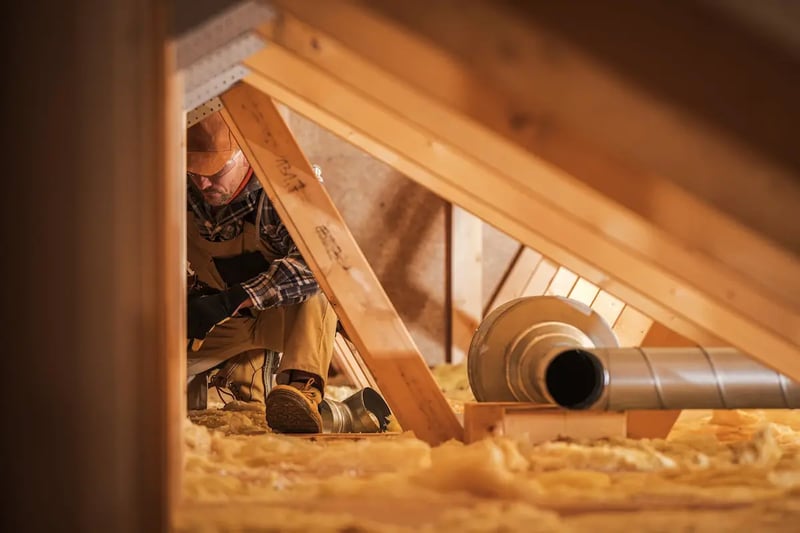
A roof-space fan that runs when the roof gets hot
A temperature probe in the roof space switches the exhaust fan on when the air up there gets hot, and off again once it cools. It runs on the relay itself, so it keeps working without the internet. Control with any of


Lights that dim on a schedule each evening
The lights fade down to a low glow after dinner instead of snapping between full and off. Do it with a Shelly dimmer behind the wall plate or Philips Hue bulbs, in their app or Home Assistant. Control with any of 

Lights that fade up to wake you in the morning
The bedroom lights come up slowly before your alarm, so you wake to a lit room instead of a dark one. Do it with a Shelly dimmer behind the wall plate or Philips Hue bulbs, in their app or Home Assistant. Control with any of More Home Assistant solutions
A roof-space fan that runs when the roof gets hot
A temperature probe in the roof space switches the exhaust fan on when the air up there gets hot, and off again once it cools. It runs on the relay itself, so it keeps working without the internet. Control with any of Lights that dim on a schedule each evening
The lights fade down to a low glow after dinner instead of snapping between full and off. Do it with a Shelly dimmer behind the wall plate or Philips Hue bulbs, in their app or Home Assistant. Control with any of Lights that fade up to wake you in the morning
The bedroom lights come up slowly before your alarm, so you wake to a lit room instead of a dark one. Do it with a Shelly dimmer behind the wall plate or Philips Hue bulbs, in their app or Home Assistant. Control with any of Still need a hand?
We answer most messages within one business day. If your question is about an existing order, have your order number ready. It speeds things up.
Contact usThe kit
Choose your relay
Each of these does the job. The steps on this page are written for the recommended one.