


















How it works
A cover motor has two windings, one for each direction. A Shelly 2PM Gen4 in cover mode feeds one winding at a time from its two outputs, so the motor only ever runs one way, and your up and down buttons keep working through its inputs.
Once it has calibrated how long the motor takes to run end to end, the Shelly knows where the cover is and can send it to any position from 0% (closed) to 100% (open). Schedules can follow sunrise and sunset for your location, with an offset before or after, or run at a set time of day.
The Shelly 2PM Gen4 drives the motor in cover mode from behind the switch, so your up and down buttons keep working. Home Assistant adds it as a cover through its Shelly integration, with open, close, stop and position.
Two automations do the rest: one opens the blind at sunrise and one closes it at sunset. Home Assistant works out sunrise and sunset from its home location, so the times move with the seasons.
-
01
Your phone
Open, close or set a position from the app, or let a schedule do it.
-
02
Shelly relay
Drives the motor one way at a time and knows where the cover is.
-
03
Your blinds or awnings
Open at sunrise and close at sunset, with your buttons still working.
Check your motor first
This suits standard 230 V cover motors with their own limit switches, set correctly before the Shelly goes in. Shelly recommends only motors with electronic or mechanical limits.
- 230 V
- Limit switches set
What it looks like on your phone
-
Every move. Home Assistant's Activity lists each time the blind opened, closed or stopped.
-
Sunrise and sunset. Two automations open the blind in the morning and close it in the evening.
Step by step
How you'll set it up
Add the device to Wi-Fi from your phone, or straight from a browser.



Every Shelly has its own built-in web interface, so there's nothing to install. Once it's on your Wi-Fi, type its IP address into a browser on the same network. Before it joins your Wi-Fi, connect your computer to the Shelly's own hotspot and open `192.168.33.1`.
-
Check the motor's limits
Run the blind, shutter or awning fully open and fully closed with its existing switch or remote and make sure it stops by itself at both ends. The Shelly relies on those limits, so set them before it goes in.
-
Fit the Shelly behind the switch
Mains goes to L and N. One motor winding goes to O1, the other to O2, and the motor's common returns to neutral. The up and down buttons connect to S1 and S2.
Wire map 2PM Gen4- Active (supply) L
- Neutral and motor common N
- Motor winding O1
- Other motor winding O2
- Open button (optional) S1
- Close button (optional) S2
Wire map 2PM Gen3- Active (supply) L
- Neutral and motor common N
- Motor winding O1
- Other motor winding O2
- Open button (optional) S1
- Close button (optional) S2
Wire map Pro 2PM- Active (supply) L
- Neutral and motor common N
- Active to both relays I1
- Motor winding O1
- Other motor winding O2
Circuit overview1Motor2Open button3Close buttonActive (supply)Neutral / 0 VSwitched loadSwitch signal / dry contactIn Australia, fixed 230 V wiring is licensed-electrician work. Use these diagrams to plan the job and brief your electrician.
Showing the whole circuitCircuit overview1Motor2Open button3Close buttonActive (supply)Neutral / 0 VSwitched loadSwitch signal / dry contactIn Australia, fixed 230 V wiring is licensed-electrician work. Use these diagrams to plan the job and brief your electrician.
Showing the whole circuitCircuit overview1MotorActive (supply)Neutral / 0 VSwitched loadIn Australia, fixed 230 V wiring is licensed-electrician work. Use these diagrams to plan the job and brief your electrician.
Showing the whole circuitThere's no wiring diagram for the here yet. Its installation guide has the manufacturer's wiring diagram. Wire it from the diagram in its manual.
-
Add the Shelly in the app
Add the relay in the Shelly Smart Control app and name it after the window, such as Living room blind.
-
Switch it to cover mode
Open Device settings, expand Device profile, choose cover and tap Save. The main screen now shows Open and Close buttons, and the Shelly needs calibrating before it can set a position. In the web interface, open Settings, choose Cover under Device profile and click Save settings.
-
Calibrate the motor
Clear anything in the cover's path. In Device settings, expand Calibration and tap Start calibration. The Shelly runs the motor to both ends and learns how long it takes. If it opens when you tap Close, turn on Reverse directions and calibrate again. In the web interface, open the cover's settings and click Start beside Calibration.
-
Open it at sunrise
Open Schedule and tap Add schedule. Pick the days and tap Next. Under Choose time interval, choose Sunrise / Sunset and set an offset if you want one, such as 30min After Sunrise for a later start on weekends. Tap Next, then Add local action, choose Open Cover (or Move Cover to specific position for a partly open start) and save the schedule. In the web interface, click Create Schedule, select the days, tick Use sunset or sunrise offset and choose After sunrise with your offset, add the Open Cover action and click Save.
-
Close it at sunset
Add another schedule for every day at Sunset, with the action Close Cover. For a west-facing window, add one at a set time in the early afternoon that moves the cover to 20% to keep the heat out.
-
Check the schedules
Schedule now lists each one with its days, action and time: Open at Sunrise on weekdays, Close at Sunset every day, and the later weekend start. Schedules in the web interface shows the same list.
-
Check the motor's limits
Run the blind, shutter or awning fully open and fully closed with its existing switch or remote and make sure it stops by itself at both ends. The Shelly relies on those limits, so set them before it goes in.
-
Fit the Shelly behind the switch
Mains goes to L and N. One motor winding goes to O1, the other to O2, and the motor's common returns to neutral. The up and down buttons connect to S1 and S2.
Wire map 2PM Gen4- Active (supply) L
- Neutral and motor common N
- Motor winding O1
- Other motor winding O2
- Open button (optional) S1
- Close button (optional) S2
Wire map 2PM Gen3- Active (supply) L
- Neutral and motor common N
- Motor winding O1
- Other motor winding O2
- Open button (optional) S1
- Close button (optional) S2
Wire map Pro 2PM- Active (supply) L
- Neutral and motor common N
- Active to both relays I1
- Motor winding O1
- Other motor winding O2
Circuit overview1Motor2Open button3Close buttonActive (supply)Neutral / 0 VSwitched loadSwitch signal / dry contactIn Australia, fixed 230 V wiring is licensed-electrician work. Use these diagrams to plan the job and brief your electrician.
Showing the whole circuitCircuit overview1Motor2Open button3Close buttonActive (supply)Neutral / 0 VSwitched loadSwitch signal / dry contactIn Australia, fixed 230 V wiring is licensed-electrician work. Use these diagrams to plan the job and brief your electrician.
Showing the whole circuitCircuit overview1MotorActive (supply)Neutral / 0 VSwitched loadIn Australia, fixed 230 V wiring is licensed-electrician work. Use these diagrams to plan the job and brief your electrician.
Showing the whole circuitThere's no wiring diagram for the here yet. Its installation guide has the manufacturer's wiring diagram. Wire it from the diagram in its manual.
-
Switch it to cover mode and calibrate it
Cover mode and calibration are set on the Shelly itself. Add it in the Shelly app, open Device settings, expand Device profile, choose cover and tap Save. Then expand Calibration and tap Start calibration, with nothing in the blind's path.
-
Add it to Home Assistant
In Home Assistant, go to Settings, then Devices & services, select Add integration and choose Shelly. Enter the Shelly's IP address, which your router lists, and select Submit. Name it Living room blind. It arrives as a cover with open, close and stop.
-
Open it at sunrise
Go to Settings, then Automations & scenes, and select Create automation. Select Add trigger, choose Sun and pick Sunrise, with an offset if you want a later start. Select Add action, choose Open cover and pick Living room blind. Check them, select Save and name it Open the blind at sunrise.
-
Close it at sunset
Create a second automation the same way, with Sunset as the trigger and Close cover as the action. Select Save and name it Close the blind at sunset. For a west-facing window, add a third at a set time in the early afternoon that sets the position to 20%.
-
Check they're there
Automations & scenes now lists Open the blind at sunrise and Close the blind at sunset. They're on as soon as you save them, so the blind closes at sunset tonight.
Frequently asked questions
Should I use the Shelly app or Home Assistant?
If you don't run Home Assistant, use the Shelly app: it needs no hub, and the schedules are stored on the relay. If Home Assistant already runs your home, put the blinds there, so they sit alongside your other automations.
Will my wall buttons still work?
Yes. The buttons connect to the relay's S1 and S2 inputs, so they still open and close the cover. Pressing the same button while it's moving stops it, and pressing the other one reverses it.
Will it work with my motor?
It suits a 230 V AC motor with separate open and close wires and its own limit switches, which covers most wired roller blinds, shutters and awnings. A motor that is only controlled by its own radio remote, with no switch wiring, isn't wired this way.
What if something is in the way?
Turn on obstacle detection in the cover's settings. If the cover meets an obstacle while it's moving, the Shelly stops it or reverses it to the end, whichever you choose. It's still worth keeping schedules to times when the window or doorway is clear.
Will it pull the awning in when it's windy?
Not on its own. The Shelly runs on time and position, and it has no wind sensor, so retract the awning from the app or the wall button when the weather turns.
Can it tilt Venetian blind slats?
Yes. The 2PM Gen4 supports Venetian blinds and controls the tilt of the slats as well as the blind's position.
Can one relay run two blinds?
No. In cover mode the 2PM Gen4 drives one motor, so each blind, shutter or awning needs its own relay. They can share a schedule time, so a whole side of the house can close together.
Does it follow the seasons?
Yes. Home Assistant works out sunrise and sunset from its home location, so the times move through the year.
Will the schedules run if the internet drops?
Shelly relays keep time by syncing over the network, so the schedules need a working internet connection to stay on time. The wall buttons and control over your home Wi-Fi keep working without it.
Does it run while Home Assistant is down?
The wall buttons do: they're wired to the Shelly. The sunrise and sunset automations run in Home Assistant, so they wait until it's back.
More Shelly solutions

Outdoor lights on at sunset, off at midnight
Porch, path and garden lights follow the sun through the year without you touching a switch. Run the lights you have from a Shelly relay, or fit Philips Hue outdoor lights, and set it up in their app or Home Assistant. Control with any of


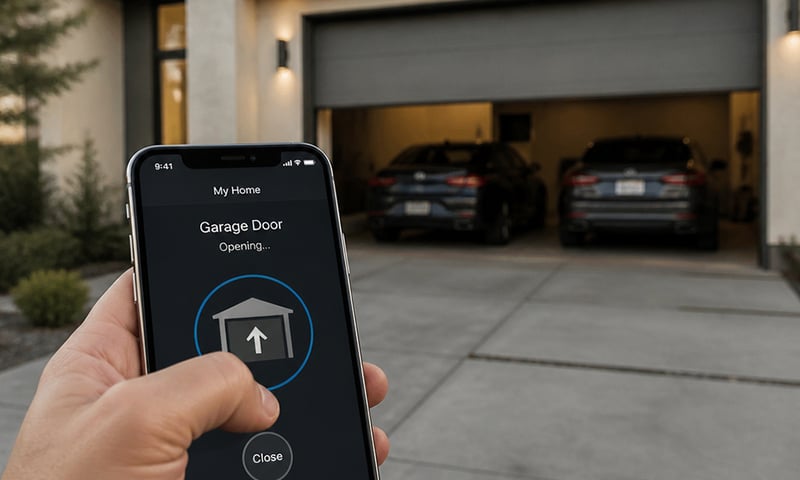
Open the garage door or gate from your phone
Wire the relay across the opener's button terminals and the roller door, swing gate or door release answers your phone as well as the wall button. Pair it with a contact sensor and you'll also know whether the door is actually shut. Control with any of 
Lights that dim on a schedule each evening
The lights fade down to a low glow after dinner instead of snapping between full and off. Do it with a Shelly dimmer behind the wall plate or Philips Hue bulbs, in their app or Home Assistant. Control with any of More Home Assistant solutions
Outdoor lights on at sunset, off at midnight
Porch, path and garden lights follow the sun through the year without you touching a switch. Run the lights you have from a Shelly relay, or fit Philips Hue outdoor lights, and set it up in their app or Home Assistant. Control with any of Open the garage door or gate from your phone
Wire the relay across the opener's button terminals and the roller door, swing gate or door release answers your phone as well as the wall button. Pair it with a contact sensor and you'll also know whether the door is actually shut. Control with any of Lights that dim on a schedule each evening
The lights fade down to a low glow after dinner instead of snapping between full and off. Do it with a Shelly dimmer behind the wall plate or Philips Hue bulbs, in their app or Home Assistant. Control with any of Still need a hand?
We answer most messages within one business day. If your question is about an existing order, have your order number ready. It speeds things up.
Contact usThe kit
Choose your cover relay
Each of these does the job. The steps on this page are written for the recommended one.