


















Release update Ecosystems
Home Assistant 2026.9: what's new, what breaks
The September release is called "There's room on this bus", and the bus turns out to be the settings menu. Every radio and protocol you run collects under a single Connectivity item, Matter draws you a map of your network, and tile cards stop quietly dropping features you asked for.
2026.9 Released 2 September 2026
Update, after one check The headline: Matter, Zigbee, Z-Wave, Thread, Bluetooth, MQTT and the rest stop competing for space in Settings and move under one Connectivity item, with new pages for MQTT and serial devices underneath it.
Check first
Robot vacuum batteryUniFi ProtectInstalling updates now needs an admin accountZ-Wave JS user and credential actionsKNX exposesVoice assistant tool namesPersistent notificationsFlexit Nordic fireplace switch
Affected only if you use one of these. None in your setup? You're clear to update.

The headline feature: everything radio moves under Connectivity
Settings has grown a protocol at a time. Zigbee arrived, then Z-Wave, then Thread, then Matter, then Bluetooth, and each one took its own row in the menu until the list read like a history of the project rather than a way to find anything. 2026.9 collects the lot under one entry called Connectivity, described as the communication protocols and radios for your devices. Matter, Zigbee, Z-Wave, KNX, MQTT, Thread, Bluetooth, Serial, Infrared, RF, Insteon and Tags all move underneath it.
Two of those get a proper page for the first time. MQTT picks up a settings screen showing broker status, how many devices it has discovered, the discovery options and the connection details, plus a tool for publishing a packet by hand when you are trying to work out why something is not reporting. Serial gets a screen that lists the ports on the machine and sorts them into the ones in use, the ones connected but doing nothing, and the ones something expects but cannot find. If you have ever pulled a Zigbee stick out of a Pi and wondered why nothing came back, that last group is the answer written down.
This is the same tidying that has been running all year. 2026.7 gave infrared and radio-frequency their own panels and rebuilt the Zigbee device manager, and 2026.8 pulled the web server settings out of YAML into a screen. The pattern is consistent: things that used to be configuration files or scattered menu items are becoming pages you can find. Nothing about how your radios work has changed, so this is a matter of relearning where two or three things live.
Before 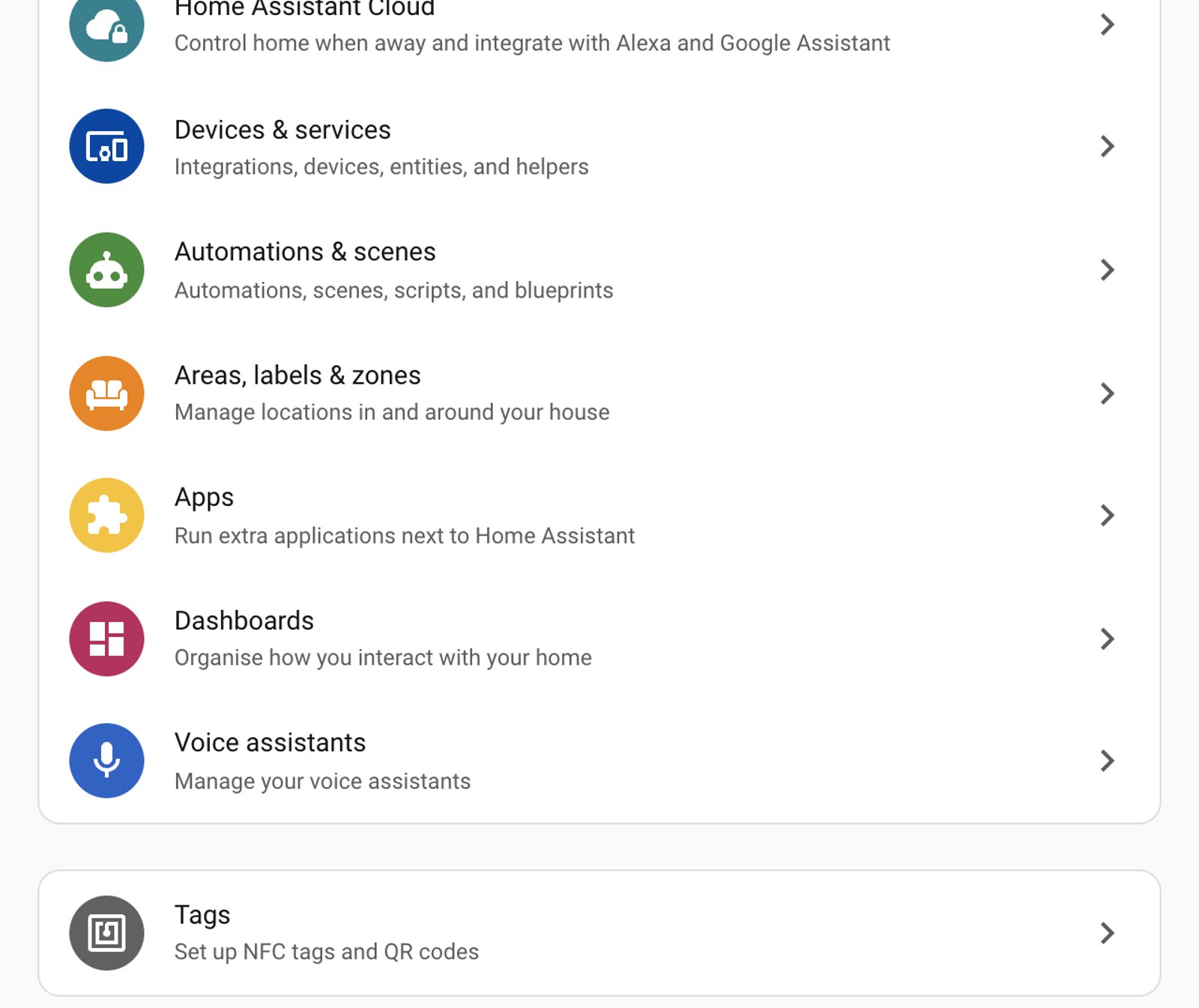
After 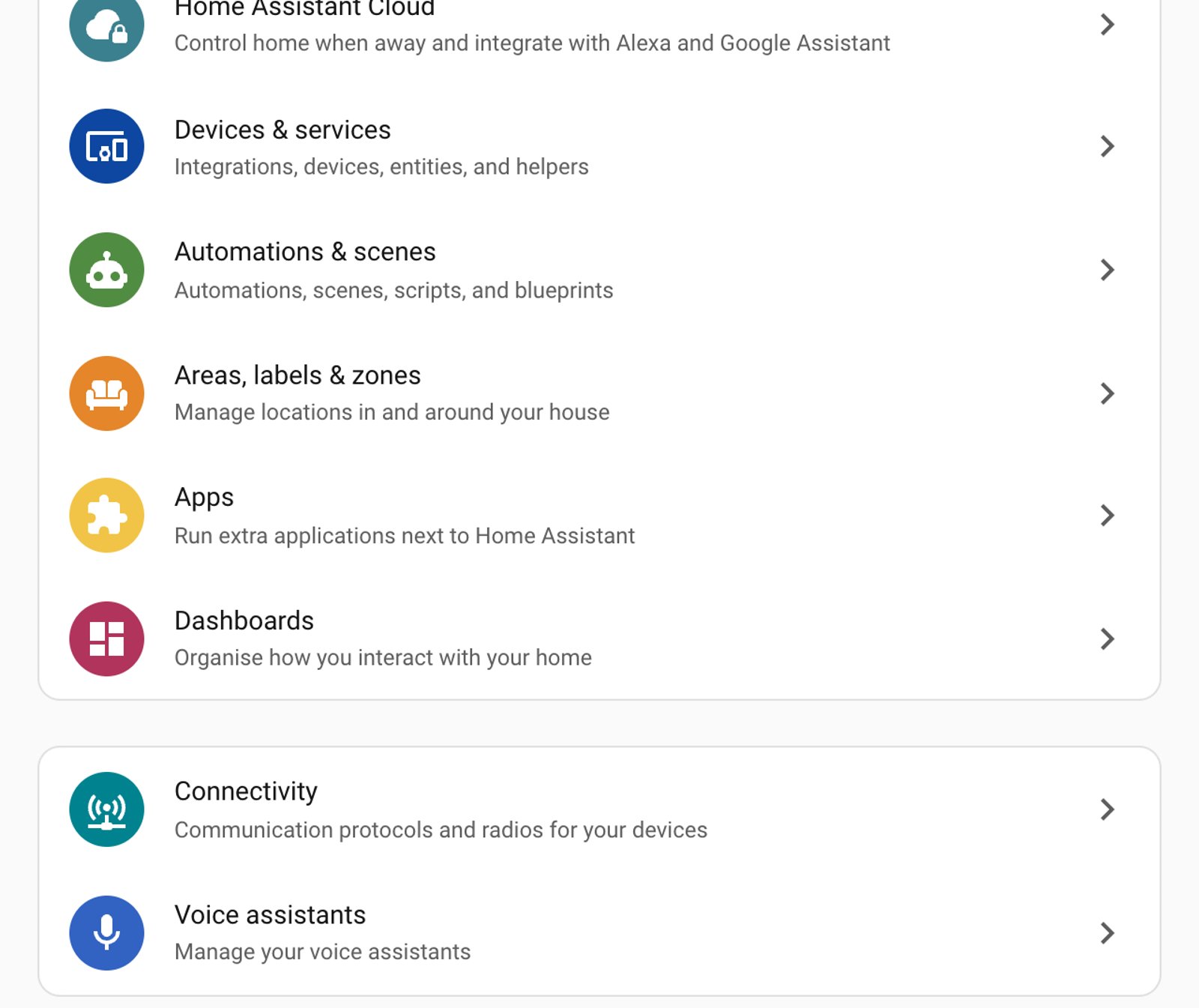
Six smaller wins
The changes most people will notice day to day. Scan the tags for the areas you use.
Matter
A map of your Matter network
Matter gets a visual graph of how the network actually fits together: which devices are on Thread and which are on Wi-Fi, which border routers and access points are carrying them, and how strong each link is. Until now the honest answer to "why is that one slow" involved guesswork.
Dashboards 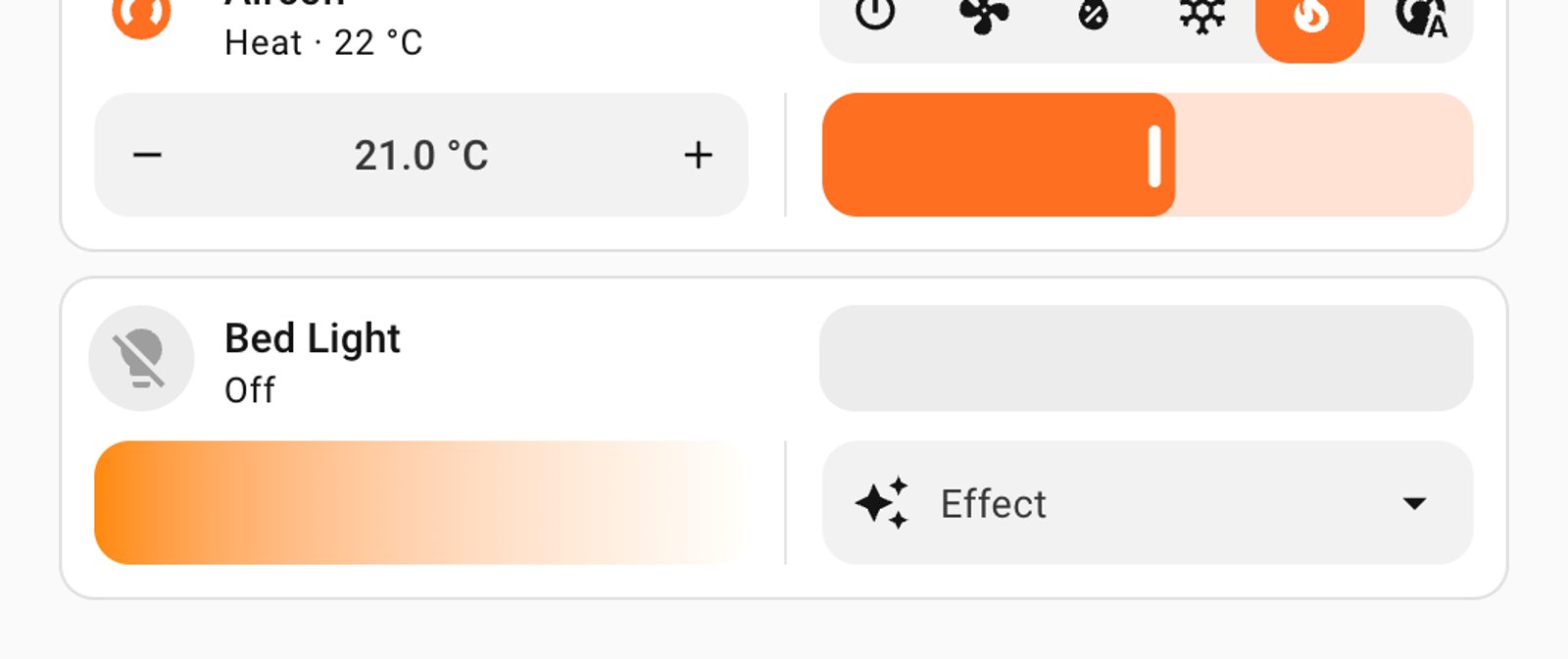
Inline tile features stop disappearing
A tile card with its feature position set to inline would show the first feature and silently drop everything after it, which looked like the card ignoring the config. Now the first sits beside the entity name and the rest appear below it in two columns, so a light can carry brightness, colour temperature and an effect picker at once.
Lights 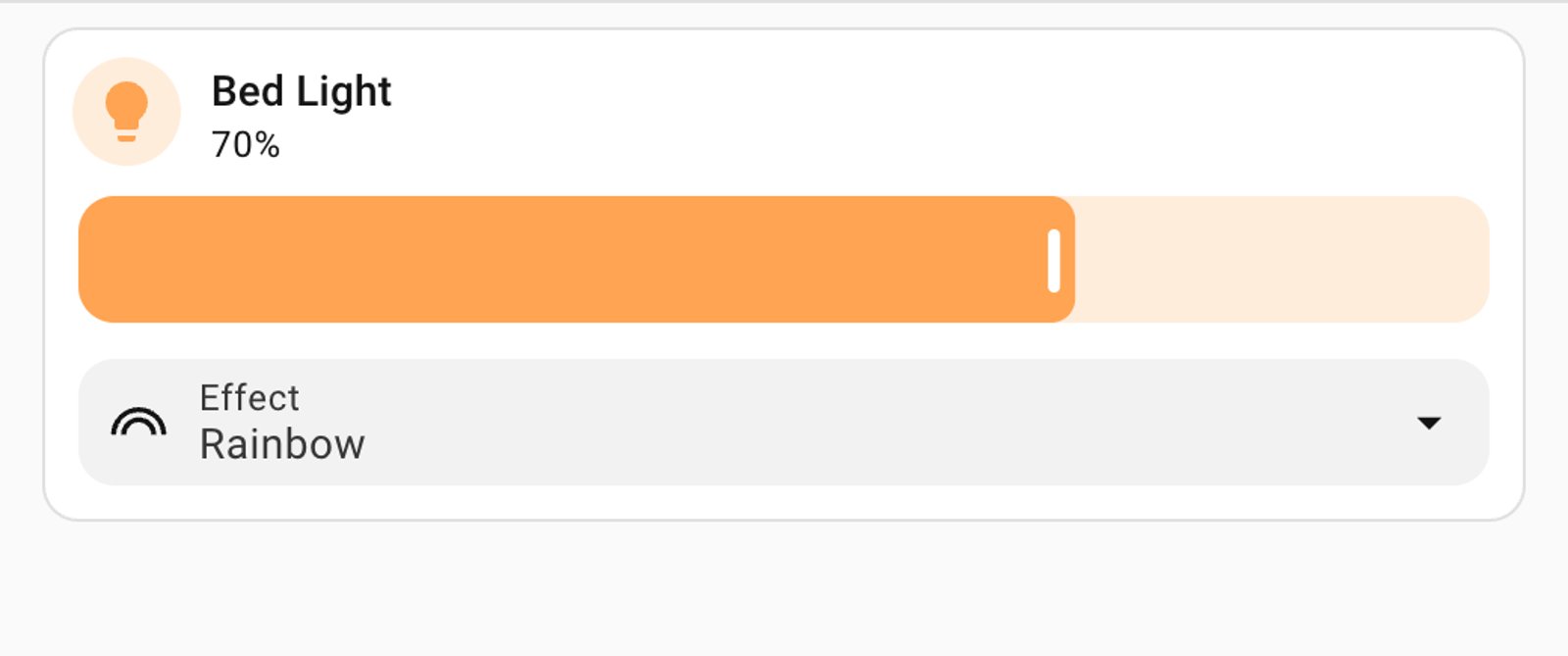
Effects can be picked from the tile
Lights that expose an effect list get an effect feature on the tile card, so you can choose and preview something like a rainbow without opening the more-info dialog. Vacuums get the same treatment for fan speed, sitting alongside the start, stop and dock buttons they already had.
Automations
Golden hour and blue hour
The sun integration gains conditions and triggers for the start and end of golden hour and blue hour, rather than just sunrise and sunset. Lighting scenes can follow the light itself instead of a fixed offset you worked out once and never revisited. Midnight sun and polar night conditions arrive in the same change for anyone very far north or south.
History 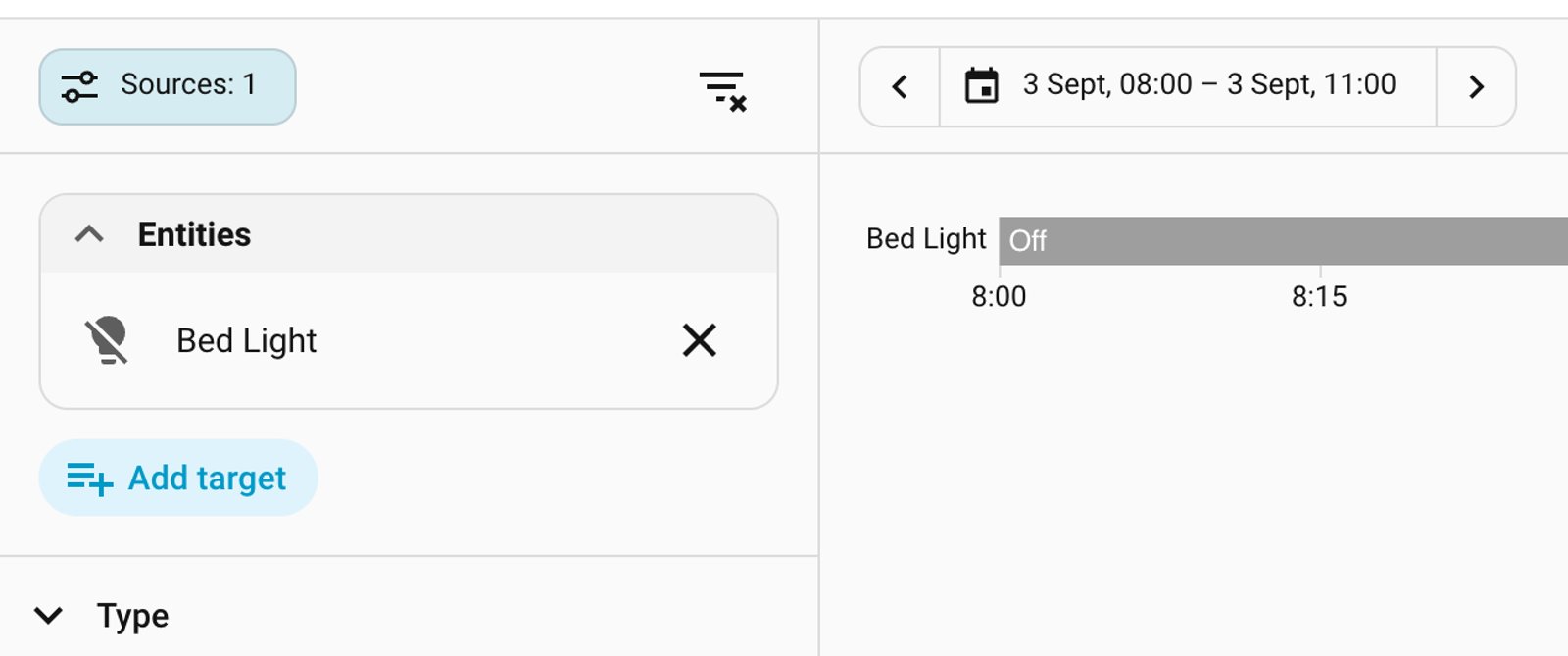
One filter panel, and a proper event trail
History and Activity share a single Sources panel for filtering by floor, area, device, entity, domain and integration. Clicking an Activity row now opens the full chain: what triggered it, which automations or scripts ran, and what finally changed, timestamped to the millisecond.
Accessibility
Charts you can read without a mouse
Line and bar charts, the energy dashboard included, can be traversed with the arrow keys, announce their values to a screen reader, and can play data as tones. It is the sort of work that never makes a headline and quietly decides whether someone can use the product at all.
Integrations: 13 in, 1 out
Removals matter more than additions, because a removal can break an automation or dashboard that references it. They're listed first, with what to do about each.
Removed in 2026.9 1 integration
| Integration | Why | What to do |
|---|---|---|
| VLC | Discontinued | Removed along with the Home Assistant Core install method it depended on, because it needed direct access to the system's audio hardware. The separate VLC via Telnet integration is unaffected and remains the way to control a VLC instance. |
Added in 2026.9 13 integrations
BesenCollection imageFlow-itHot SpringISEO Argo BLELibreNMSNexBlueRidder HortiMaX ProSamsung TV via ExLinkSilla PrismSofar Inverter ModbusSpecialized TurboTonewinner
Breaking changes
8 this month, all narrow. If the summary at the top already cleared you, nothing below applies to your setup.
Breaking changes · check before you update Most setups are unaffected
Robot vacuum battery
The deprecated battery_level property is gone from the base vacuum entity. This finishes the cleanup that took device tracker battery attributes in 2026.7 and eight vacuum integrations in 2026.8, so if you were not caught by either of those you may be caught now.
What to do: Point any card or automation reading the vacuum's battery_level at the vacuum's separate battery sensor entity instead.
UniFi Protect
The integration now requires UniFi Protect 7.2.105 or later and refuses to set up against anything older. 2026.8 already moved the floor to 7.1, so this is the second lift in two releases. Smart detection switches also stay visible now when recording is disabled.
What to do: Update the Protect controller first, then Home Assistant. Doing it the other way round leaves the integration unable to load.
Installing updates now needs an admin account
Installing an update, skipping one, and clearing a skipped one are all restricted to administrator accounts. A script running as a non-admin user that used to apply updates will now fail.
What to do: Move that work into an automation, which runs with the required permissions, rather than calling the action as a non-admin user.
Z-Wave JS user and credential actions
Setting and deleting users and credentials on Z-Wave locks is now restricted to administrator accounts, in the same permissions tidy-up as the update actions.
What to do: Check any lock-code automation that runs as a non-admin user, particularly guest-code or cleaner-code routines.
KNX exposes
Exposes no longer push their first value onto the KNX bus on start-up. Anything that depended on that initial send to set a device's state will now sit at whatever the device thinks it is.
What to do: Turn on the send on initialisation option, or set send_on_init to true in YAML.
Voice assistant tool names
Tool names given to language models are now prefixed with their domain, so GetLiveContext becomes homeassistant__GetLiveContext and HassTurnOn becomes intent__HassTurnOn.
What to do: If a custom prompt names a tool directly, update it to the prefixed name. Prompts that do not name tools are unaffected.
Persistent notifications
Updating a notification that already exists now fires an updated event rather than an added one.
What to do: An automation triggering on all notifications should add updated to its list of trigger types, or it will stop seeing edits.
Flexit Nordic fireplace switch
The fireplace mode switch entity has been removed from the Flexit Nordic BACnet integration.
What to do: Call climate.set_preset_mode with a preset_mode of fireplace instead.
Should you update?
Our verdict Update, after one check
Update, but read the breaking list first, because two of the eight are the kind that bite quietly. If you run a robot vacuum, the battery percentage on your dashboard is the one to check: this release finishes a cleanup that has been rolling since 2026.7, and the fix is to point the card at the vacuum's own battery sensor. If you run UniFi Protect, update the controller to 7.2.105 before you touch Home Assistant, not after.
Beyond that it is a good month. The Connectivity regroup costs you nothing but a few minutes of relearning where things sit, the Matter map answers a question that previously had no honest answer, and the inline tile fix repairs something that has been quietly making dashboards look broken. Nothing here changes how your devices behave, which is the sort of release worth taking promptly rather than sitting out.
Source: home-assistant.io
Frequently asked questions
When was Home Assistant 2026.9 released?
On 2 September 2026, following the usual first-Wednesday-of-the-month schedule.
Where did the Zigbee and Matter settings go?
Under Settings, then Connectivity. Matter, Zigbee, Z-Wave, KNX, MQTT, Thread, Bluetooth, Serial, Infrared, RF, Insteon and Tags all moved there. Nothing was removed and nothing about how they work changed, so it is only a matter of where you click.
Do I need Matter hardware to see the new network map?
Yes. The map is drawn from devices actually joined to your Matter network, so it needs the Matter integration set up with real devices commissioned onto it. There is nothing to see without them.
Why did my robot vacuum's battery percentage stop working?
The deprecated battery_level property has been removed from the base vacuum entity, finishing a cleanup that took device tracker battery attributes in 2026.7 and eight vacuum integrations in 2026.8. Point the card or automation at the vacuum's separate battery sensor entity instead.
Why can't my user account install updates any more?
Installing, skipping and clearing skipped updates now require an administrator account. If a script was applying updates as a non-admin user it will fail, and the fix is to run that work as an automation instead.
Something broke after an update?
Tell us what changed and what stopped working, and we'll help you get it back.
Get in touch